Repository navigation
Math and Study Tools
Write equations, work out sums in your text, and plot functions on a page.
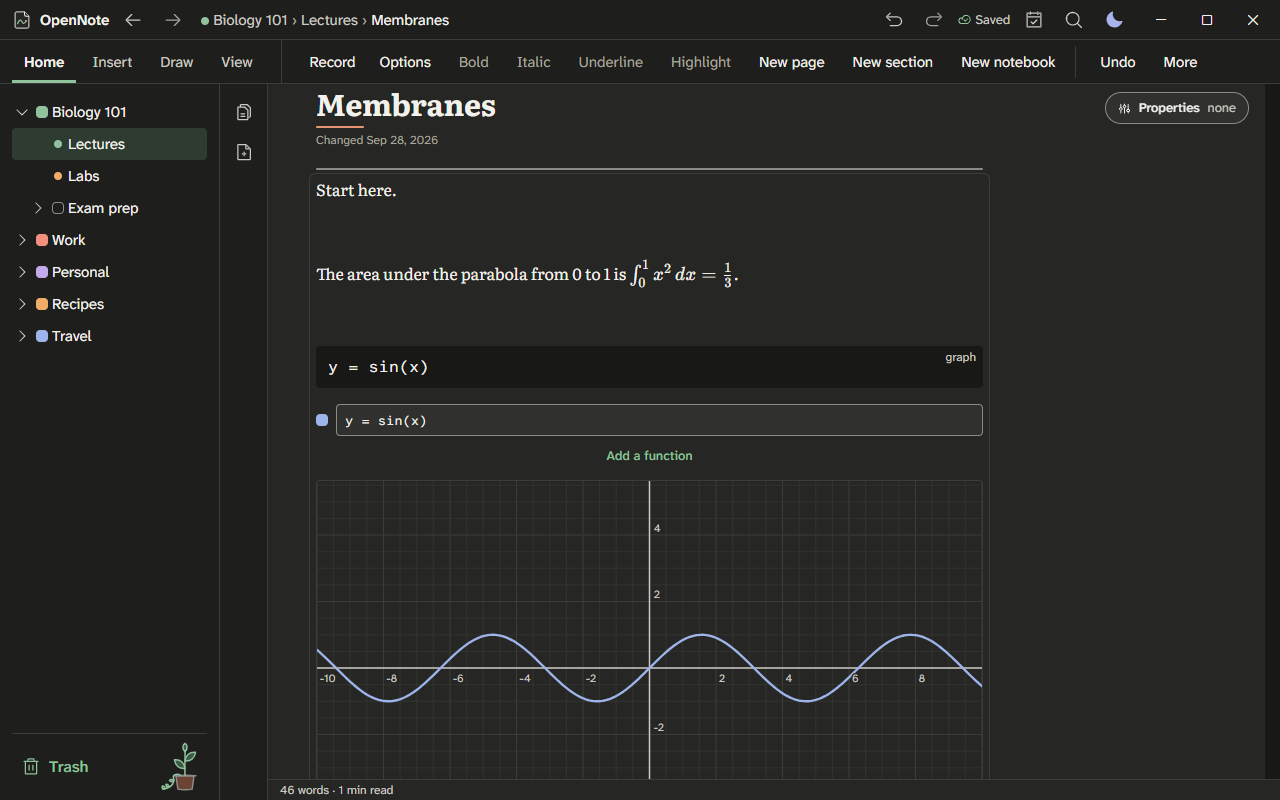
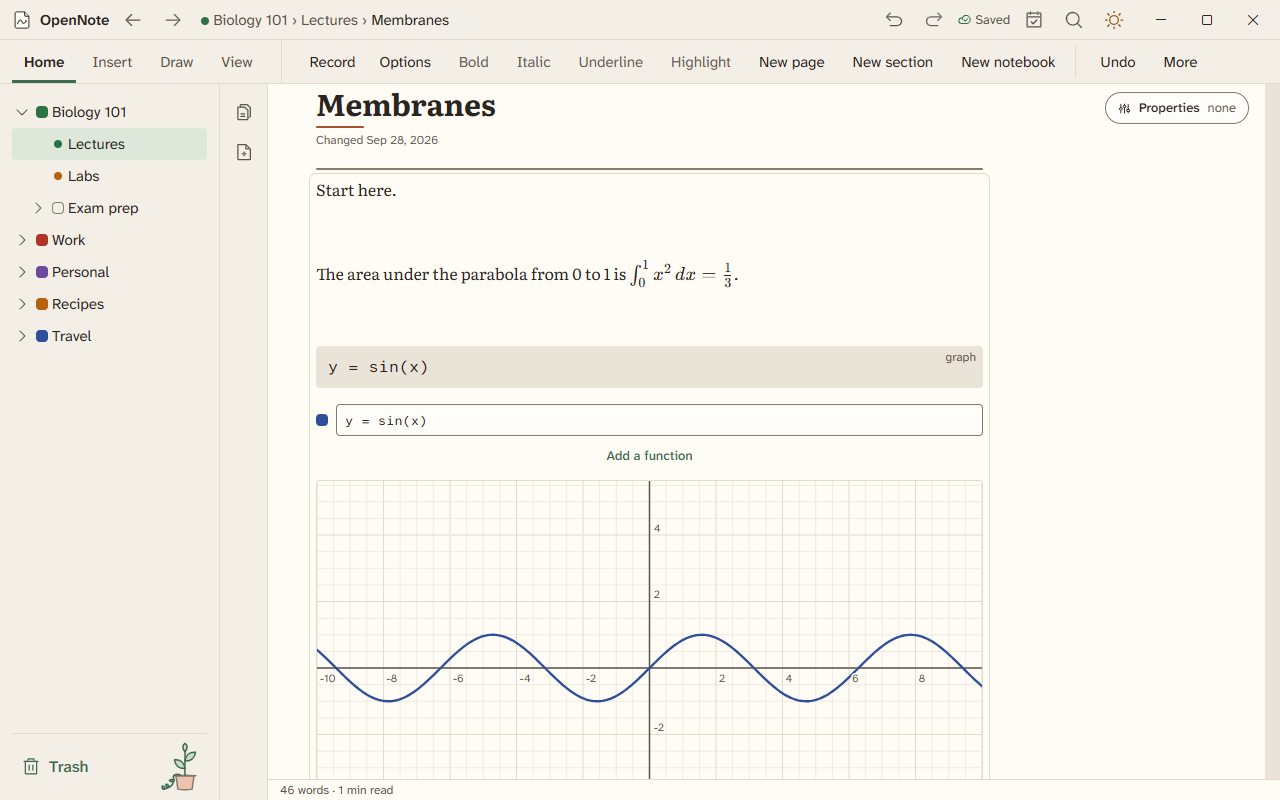
Light theme: math-graph-light.png
- Equations
- Check my work
- Insert LaTeX
- Scientific constants
- Significant figures
- Quick math
- The grapher
- Diagrams and mind maps
- Tool windows
- In a PDF
- Type
$x^2$in text, or open Insert, then Equation. Type the equation as LaTeX and press Enter. It renders, and you can edit it. - When you open an equation, it opens in a visual editor with its own math keyboard, which also works with touch and pen. Choose Edit as LaTeX to type the source instead. OpenNote remembers your choice. A screen reader speaks the equation when you finish. Pages keep the same LaTeX either way.
- Select an equation and choose Solve or Simplify. Solve needs an equation with exactly one letter in it, or a system of linear equations with one equation for each letter. Put each equation on its own row with
\\, or in acasesblock. Solve also finds the determinant and inverse of a matrix written withpmatrixorbmatrix. - Choose Steps to see how a derivative or an integral is worked out, one rule at a time. Write
\int_0^3 x^2 \, dxfor an integral. Any other expression shows the steps of its derivative. An integral that is not in the table of rules gets its value only, and only when it has limits. - An equation shows its answer beside it as you write, such as x = 4 after 2x + 3 = 11.
- Select an equation and choose Graph, or press Alt+Shift+G, to see its graph beside it. y = f(x) draws in 2D, and an expression in x and y draws in 3D. Choose Insert graph to add it below as a graph you can edit, or Insert as picture.
- If an action cannot read your LaTeX, it says so and leaves the equation alone.
- To turn handwriting into an equation, lasso the writing, and choose Convert handwriting to math. The equation is added below the page and the ink stays. Or open an equation, choose Write with pen, write it, and choose Use writing. It needs handwriting recognition turned on, and Windows must have a handwriting recognizer for your language.
Check my work looks at your own working, one line at a time. Beside each step it puts a check when the step follows from the line before, an exclamation mark when it needs a look, and a question mark when it could not be checked. It runs on this device, and nothing is sent anywhere.
- Select the lines you want checked and choose Check my work from the command palette (Ctrl+K), the slash menu, or the text menu. With nothing selected, it checks every line on the page that looks like working.
- For handwriting, lasso the rows of working and choose Check my work on the lasso toolbar. Each row is read as math. If some of it was hard to read, or a row could not be read as math, you see the lines as read first, and can fix any of them before they are checked. The ink is never changed.
- Write one step per line. A line can start with "=" to carry on from the line above, as in
(x + 1)^2then= x^2 + 2x + 1. Used/dx(...),f'(x)afterf(x) = ...,∫ ... dx(orint),∫_0^1 ... dx,[F]_a^b,lim_(x->0), andΣ_(n=1)^(10), or a sum to a letter such asΣ_(k=1)^(n) k = n(n + 1)/2. Writelet u = x^2before a substitution. Write a system on one line with commas, such asx + y = 5, x - y = 1, or one equation to a line.dy/dxandy'work after ay = ...line. Leave a blank line, or start a line with2)orProblem 2, to start a new problem. Notes in brackets, such as(divide by 2), are skipped. A rounded answer such as≈ 2.33is right to the places you wrote. A step that loses its+ Cis still right, with a note to add it. Matrices are[[1, 2], [3, 4]]and vectors[1, 2, 3],(1, 2, 3)or⟨1, 2⟩, with·for the dot product and×for the cross product, anddet [[2, 1], [5, 3]]ordet(...)for a determinant. Units such askm/handm/sare converted. -
2/3 ÷ 4/5divides by the whole fraction 4/5.½,⅓,⅚and the other fraction characters read as fractions. Values can be given together, as inx = 2, y = 3, before a check such asx + ythen= 5. Steps can share a line when→,⇒,∴, "so" or "therefore" joins them, as in2x + 3 = 7 → 2x = 4 → x = 2. Letters named equal, as ina = b = c = 2, are a note that gives them the value.y' = 0aftery' = 2xis the equation2x = 0to solve, and so isy' = 2x = 0. Before the quadratic formula,a = 1, b = -3, c = 2gives its numbers, and the roots are checked against the equation above.cos(60°)is in degrees,x = 2 or -2isx = 2 or x = -2, and a word such asslope =orArea =names the value. A limit with another letter in it, such aslim_(h->0) ((x+h)^2 - x^2)/h, is checked when its value settles to a polynomial in that letter. Decimal working rounded to a whole number, such as9.81 × 2then= 20, is right. - A slash before a product, as in
1/2x, can mean (1/2)x or 1/(2x). It is right when either reading works, and wrong when neither does. When that cannot be told, you are asked to add brackets. -
log_2 8,C(5, 2)or5C2, and7 mod 3are read as numbers.inafter a number is inches, as in3 ft + 2 in.
- The first step that goes wrong says why in plain words, such as "The sign of 3 should change when it moves across the equals sign", and suggests a corrected line. The line is written your way: a column stays a column,
(1, 2)keeps its brackets, andln 7comes before its decimal. Steps after it that follow correctly say "This follows from your previous line". - When a step cannot be decided, it says "I could not check this step" rather than calling it wrong. A step that is true only for some values, or that drops a solution, says so. So does an answer that an earlier line does not allow, such as x = 1 after dividing by x - 1. A single line such as
(x + y)^2 = x^2 + y^2orsin(a + b) = sin(a) + sin(b)is shown as wrong, but a line that may be an equation to solve, such asx^2 = 2x, is where the working starts. Lines with the imaginary number i are not checked yet, and neither are subscripts such asx_1, temperatures such as100 °C, sums written with...,∫ 2x dx from 0 to 3in words, or a second label in a chain such asa = dv/dt = 6t. - A matrix with a row short, a number such as
0.1.2, ordxwith no integral is not read. Handwriting like that is shown to you to confirm. Canceling to a number, as in(x + 2)/(x + 1)then= 2/1, is noted as true only for some values. - Steps it could not prove symbolically are checked at sample points, and the card says so.
- Choose Check again after you change the working, or Dismiss to take the marks away. When the check is shown, focus moves to the card, Escape dismisses it from anywhere on the page, and focus goes back to where you were writing. Turn the feature off in Settings, then Editing.
Press Ctrl+Alt+X, or open Insert and choose Insert LaTeX. Type LaTeX and the equation is drawn as you type. Choose In the line or On its own line, then Insert equation. The snippet tabs (Basics, Calculus, Matrices, Greek, Symbols) put a fraction, a sum, a matrix, or a Greek letter into the field, with the first blank selected so you can type over it.
Paste LaTeX and OpenNote makes equations of it. $x^2$ and \(x^2\) become equations in the line, and $$x^2$$, \[x^2\], and \begin{align} blocks become equations on their own line. A paste that is only LaTeX, such as \frac{a}{b}, becomes one equation. Prices such as $5 and $6 stay text.
Press Ctrl+Alt+N, or choose Insert a scientific constant. Search by name or symbol, then choose Symbol, Value, or Both to add it at the caret as text or, with Equation chosen, as an equation. Values are the 2022 CODATA recommended values. The digits in brackets are the standard uncertainty. In the calculator and on lines of math you can use the short name each row shows, for example kB * 300 =.
Press Ctrl+Alt+F. Type a measured number to see how many significant figures it has, round it to a count, and show it in scientific or engineering notation. Type a sum such as 2.50 * 3.1 and the answer is rounded by the rules, with the rule named. Turn on the Significant figures switch in the calculator to round its answers the same way. Whole numbers written alone count as measured, so write 2pi when the 2 is a count.
Type a sum followed by an equals sign, such as 12*7=. The answer appears. Lines on a page can also hold variables and units, and later lines can use earlier ones.
On a line of math, choose Graph this to plot it.
Type an equation with one unknown letter, such as 2x + 3 = 11, and its solution appears in gray. Press Tab to add it as a line of its own, which later lines can use. The page's variables and units count, so after d = 100 m and t = 10 s, the line d = v t gives v = 10 m/s. Turn the answers or the solutions off in Settings, then Editing, then Live math.
Open Insert, then Graph. Type a function, such as y = sin(x). Pan and zoom the graph with the mouse, the pen, or your fingers.
Open Insert, then 3D function plot, or type /3d function plot, for a surface such as z = sin(x) cos(y). A curve such as (cos(t), sin(t), t/5) and a surface in u and v such as (cos(u) sin(v), sin(u) sin(v), cos(v)) work too. Drag the graph or press the arrow keys to turn it. Plus and minus zoom, and 0 resets the view. Add @range t 0 12 to set how far t runs.
To graph handwriting, lasso it and choose Graph in the bar above the selection.
A graph also takes parametric and polar curves and vector and slope fields, and a 3D graph plots surfaces. See 3D graphs, vectors, and motion.
- Type Mermaid text and get a diagram.
- Give a diagram a description in its Description of the diagram box. Screen readers read it, and it is kept when you print or export. Printed, PDF, and web page exports draw the diagram as a sharp vector picture.
- Save a mind map as an SVG, PNG, or PDF picture from its toolbar. With a pen, tap a branch to write in it, drag from it into empty space to add a branch, or drag it onto another branch to move it.
- Turn an outline into a mind map, and turn the map back into an outline.
Press Ctrl+K and choose Calculator or Unit converter. Each opens in its own small window. See study tools.
The calculator has seven tabs, and the arrow keys move between them:
- Basic is a four-function keypad.
- Scientific takes typed expressions. Choose the notation (normal, scientific, or engineering) and the significant figures, or match the fewest figures you typed.
- Graphing 2D and Graphing 3D are the grapher.
- Programmer works in hexadecimal, decimal, octal, or binary, with AND, OR, XOR, NOT, and shifts, in 8 to 64 bits.
- Statistics gives the mean, median, mode, quartiles, and standard deviations of a list. Put x and y on each line to get a line of best fit.
- Matrix adds, multiplies, inverts, and row-reduces matrices, and solves A x = B.
Each tab keeps its history on this device, with Copy and Insert. Open a tab straight from Ctrl+K, such as Programmer calculator.
Export a page as PDF and its equations, graphs, and charts print as sharp shapes and text, not as pictures. A smart table's charts follow the table.
Math, the grapher, 3D graphs, the calculator's modes, live solving, and diagrams are built and have been checked by automated tests only. Turning handwritten math into an equation is built, but it reads fractions, roots, exponents, integrals, and matrices from how the strokes are laid out, so write each part clearly apart from the next.