Repository navigation
Windows port and shape snapping - #21
Open
CatalystMonish wants to merge 5 commits into
Open
CatalystMonish wants to merge 5 commits into
CatalystMonish wants to merge 5 commits into
Conversation


Plain C99 so both the macOS app (SwiftPM C target) and the Windows port
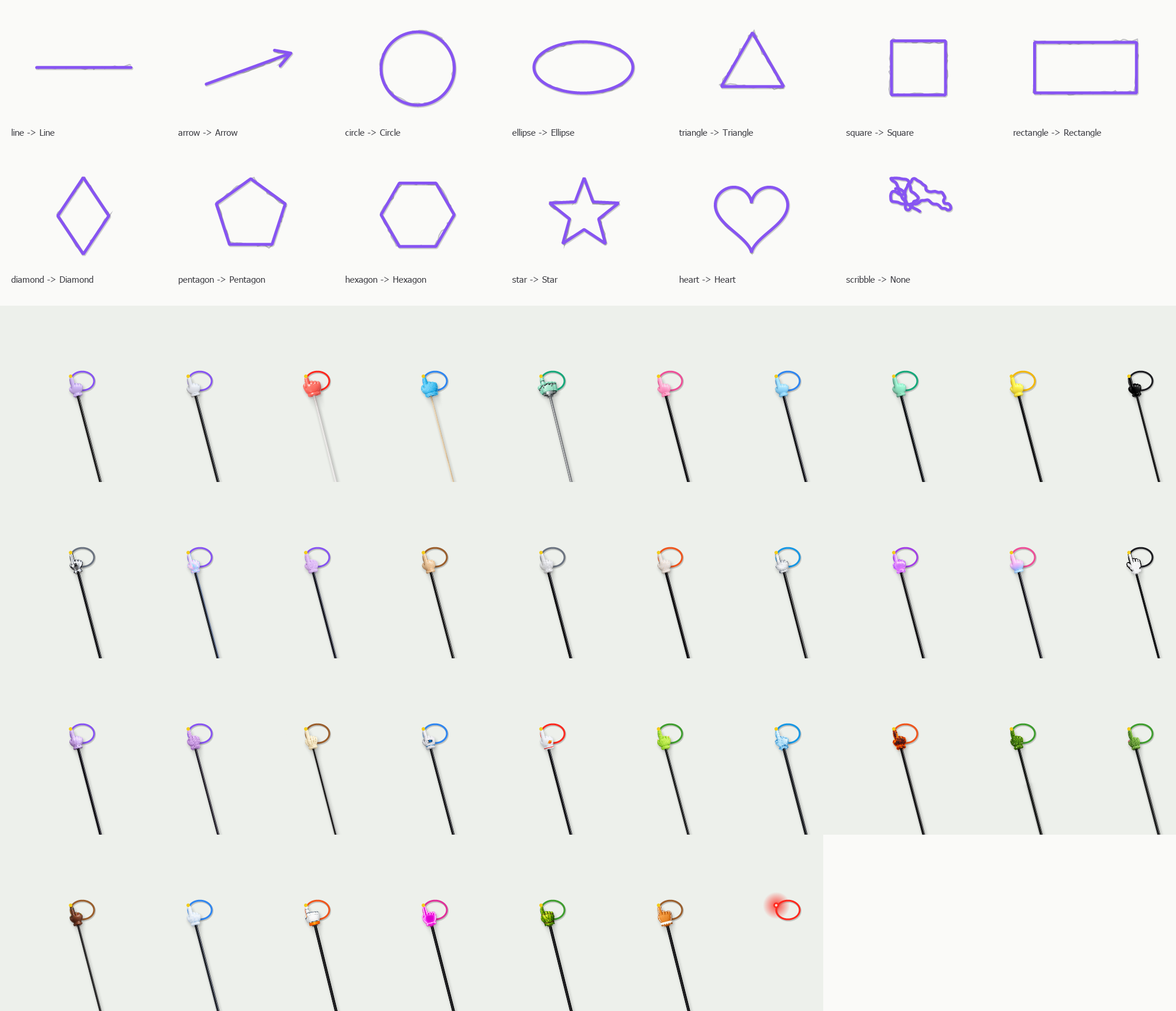
compile the same code. Recognizes lines, arrows (one stroke, or a line
followed by a V), circles, ellipses, triangles, squares, rectangles,
diamonds, pentagons, hexagons, stars and hearts, and returns clean
polylines. Scribbles and handwriting stay freehand.

Tests/shapes/shape_test.c draws thousands of synthetic hand-drawn strokes
and checks accuracy per shape, false positives, two-stroke arrows and
orientation. scripts/test-shapes.sh runs it.

Co-Authored-By: Claude Opus 5.5 <noreply@anthropic.com>
When a stroke ends it goes through ShapeKit and, if it reads as a shape,
is redrawn as that shape with a short crossfade. A V drawn at the end of
a freshly snapped line turns it into an arrow. On by default, with a
Snap shapes switch in Settings, Drawing and in the menu bar menu.

Co-Authored-By: Claude Opus 5.5 <noreply@anthropic.com>
A native Win32 + GDI+ app in windows/, built with mingw-w64 into one
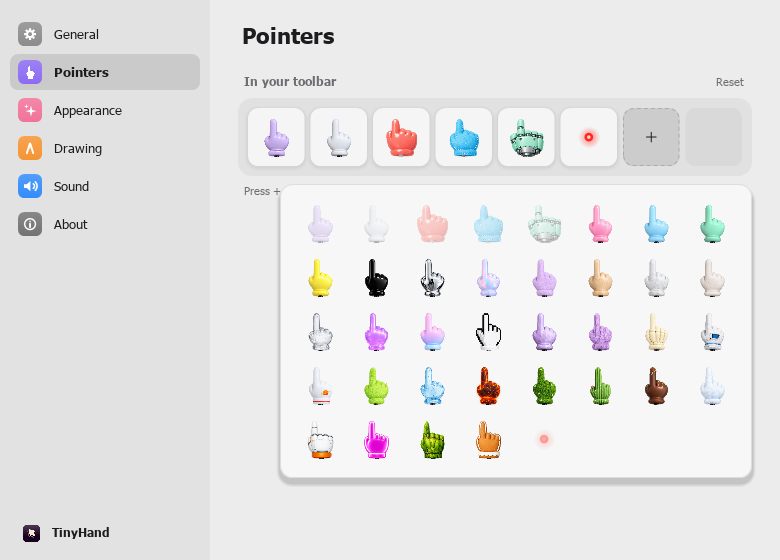
static TinyHand.exe. It brings the hand on a stick, all 36 hands and the
laser dot, taps, drawing with fades, shape snapping (same ShapeKit
recognizer), tap sounds, the toolbar with ink tray and first-run hint, a
tray icon and menu, global shortcuts, Alt to click for real, and a
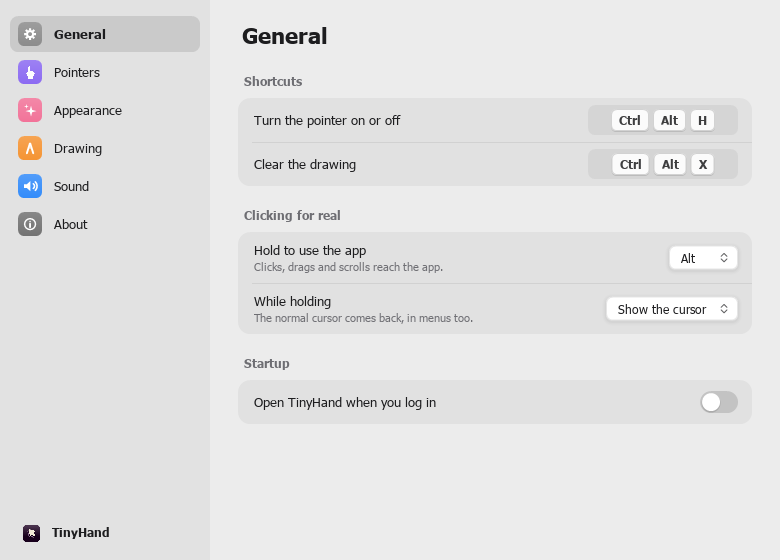
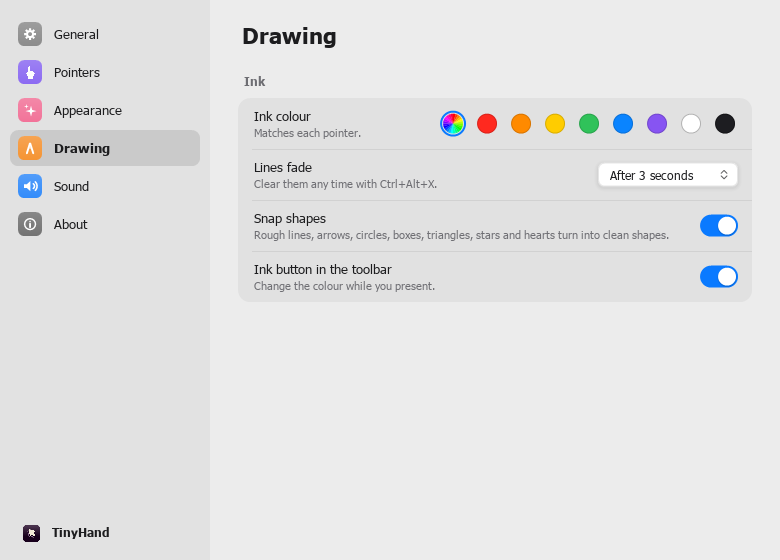
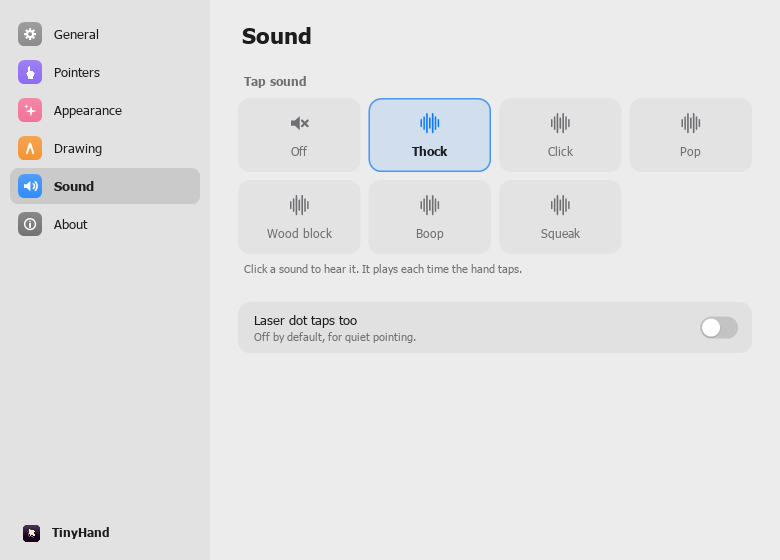
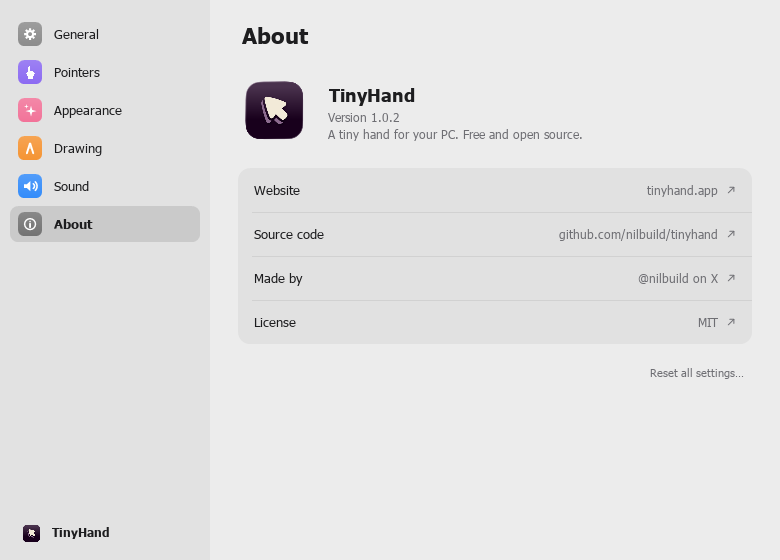
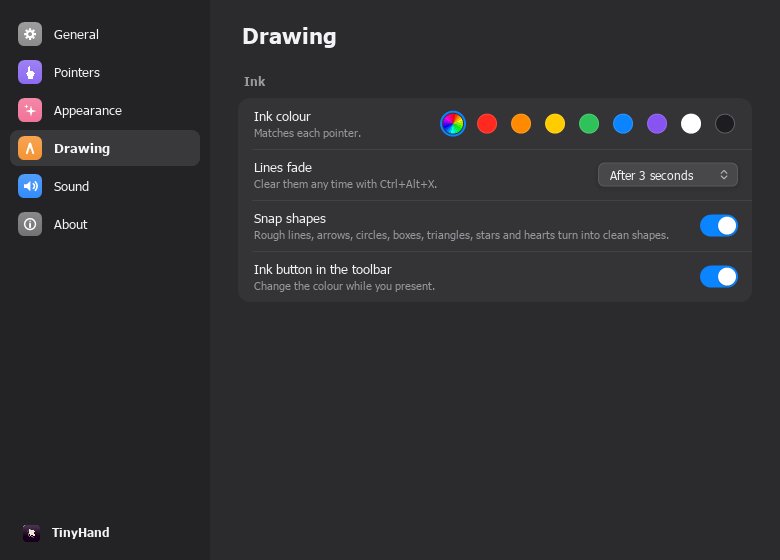
Settings window with the same pages as the macOS one.

Clicks become taps through a WH_MOUSE_LL hook on its own thread; the
taskbar, Start and open menus pass through. The overlay is a per-pixel
alpha layered window updated by dirty rectangles.

Self-test switches (--render-test, --toolbar-test, --settings-test,
--settings-ui-test, --welcome-test, --e2e-test) run on Windows and
under Wine.

Co-Authored-By: Claude Opus 5.5 <noreply@anthropic.com>
The Windows job cross-compiles on Ubuntu with mingw-w64, then a
windows-latest job runs the shape tests, the render test and the
Settings UI test. The macOS job also runs the shape tests.

Co-Authored-By: Claude Opus 5.5 <noreply@anthropic.com>

Author
|
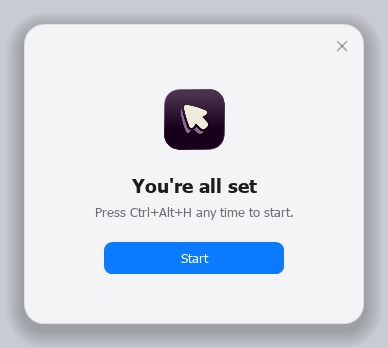
Screenshots from the Windows build, rendered by its own self-test switches under Wine 11.21 on macOS. Shape snapping and all 37 pointers (
Toolbar with the first-run hint and ink tray (
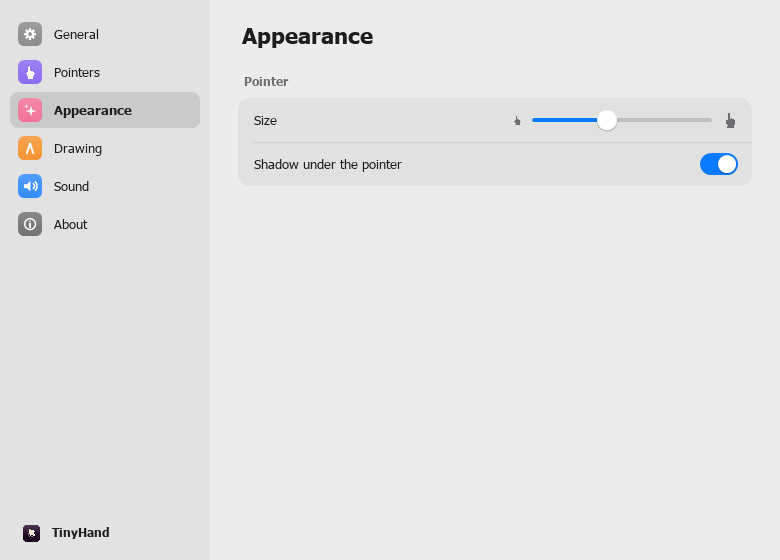
Settings (
|


Conflicts resolved keeping both sides:
- Ink.swift: a stroke drawn holding Command (the new arrow feature) is not
  snapped unless it is straight, in which case it becomes a clean straight
  arrow with the same head geometry. Command strokes never take part in the
  two-stroke V arrow.
- SettingsView.swift: the ink button row moved to Pointers, Toolbar upstream;
  Drawing keeps the Snap shapes row.
- Preferences.swift: reset clears both the new keys and snapShapes.
- README.md: both the Command arrow row and the snapping rows; both the
  Automation and Windows sections.

Co-Authored-By: Claude Opus 5.5 <noreply@anthropic.com>
This file contains hidden or bidirectional Unicode text that may be interpreted or compiled differently than what appears below. To review, open the file in an editor that reveals hidden Unicode characters.
Learn more about bidirectional Unicode characters
Sign up for free
to join this conversation on GitHub.
Already have an account?
Sign in to comment


Add this suggestion to a batch that can be applied as a single commit.This suggestion is invalid because no changes were made to the code.Suggestions cannot be applied while the pull request is closed.Suggestions cannot be applied while viewing a subset of changes.Only one suggestion per line can be applied in a batch.Add this suggestion to a batch that can be applied as a single commit.Applying suggestions on deleted lines is not supported.You must change the existing code in this line in order to create a valid suggestion.Outdated suggestions cannot be applied.This suggestion has been applied or marked resolved.Suggestions cannot be applied from pending reviews.Suggestions cannot be applied on multi-line comments.Suggestions cannot be applied while the pull request is queued to merge.Suggestion cannot be applied right now. Please check back later.
Summary
This brings TinyHand to Windows 10 and 11 (x64), and adds shape snapping to both the macOS app and the Windows app.
windows/): a native Win32 + GDI+ app, built with mingw-w64 into one staticTinyHand.exe. It needs no runtime and no installer.How it fits together
Sources/ShapeKit: one C99 recognizer that both apps compile, so they snap in exactly the same way.TinyHanddepends on; on Windows the Makefile builds it.Tests/shapes/shape_test.cgenerates about 5,500 synthetic hand-drawn strokes. They include jitter, wobble, rounded corners, random rotation and aspect, overshoot or gaps at the close, either drawing direction, and uneven spacing. The test checks:scripts/test-shapes.shruns it.macOS (
Ink.swift): when a stroke ends, its points go throughth_recognize. If they match a shape, the layer's path is swapped for the clean shape with a 0.12 s crossfade. The last snapped line is kept for 3 seconds so that a following V can turn it into an arrow. Fades now carry a token, so a line that became an arrow restarts its fade instead of being removed early.Windows (
windows/src), compared with the macOS app:CGEventtap on its own threadWH_MOUSE_LLhook on its own thread; the drag points are queued for the UI threadNSWindow+ Core AnimationUpdateLayeredWindowIndirectCGDisplayHideCursorRegisterHotKeyUserDefaultsHKCU\Software\TinyHandSMAppService)HKCU\...\CurrentVersion\RunThe hand landmarks (tip, wrist, rod end, grip) are measured from each picture's alpha channel with the same algorithm as
HandAsset.measure. The arm pose math is ported line for line, with easing scaled to the frame rate.Build:
make -C windowscross-compiles on macOS or Linux.make -C windows CROSS=builds natively in MSYS2.make -C windows distmakes a zip containing the exe and theassetsfolder.CI
build.ymlhas three changes:windowsjob cross-compiles on Ubuntu with mingw-w64 and uploads the exe and the zip.windows-checkjob runs the shape tests,--render-testand--settings-ui-testonwindows-latest.Testing
Everything below was run on macOS 27 (Apple silicon). The Windows build was run under Wine 11.21, x86_64 through Rosetta.
swift buildsucceeds, andscripts/build-app.shproduces a signed release app.scripts/test-shapes.shpasses on seeds 1 to 5 with-Wall -Wextra -Werror.-Wall -Wextra: no warnings.shape_test.exe: all checks pass, the same numbers as on macOS.--render-test: 13 of 13 sample shapes snap to the right kind (the scribble stays freehand), and all 37 pointers load, measure and draw.--toolbar-test,--settings-test(every page, the picker, dark mode) and--welcome-test: rendered and checked by eye against the macOS Settings.--settings-ui-test: 16 of 16 pass. It covers sidebar navigation, switches, swatches, sound tiles, the disabled laser switch, drag to reorder, x to remove, the + picker, drag out to remove, Reset, and the slider reaching both ends.--e2e-testwas stopped partway through. It drives real input through the hook. The 4 checks that ran all passed: a click reaches the app while the pointer is off, Ctrl+Alt+H turns it on, the hook installs, and a click becomes a tap the app never sees. The drawing, snapping, Alt-click, Ctrl+Alt+X and Esc checks did not run.Not tested yet:
SetSystemCursor).Not ported yet
HandMaker/ custom hands).Possible follow-ups:
release.yml.Screenshots (from Wine)
Screenshots of the shapes, the pointers, the toolbar, Settings and the welcome card, all rendered under Wine, are attached in a comment below.
🤖 Generated with Claude Code