
The most efficient, reliable, and developer-friendly way to use the Google Maps Places API.
Actor page: apify.com/johnvc/google-maps-places-api Input schema: apify.com/johnvc/google-maps-places-api/input-schema
Call the Google Maps Places API from Python or from any MCP client and get business listings as clean, structured JSON. Give it one or more search terms ("coffee shops in Austin, TX", "dentists in 90210") and get back one row per place with name, full address, GPS coordinates, rating and review count, category, phone, website, price level, opening hours, a thumbnail, and the Google place ID. It is built for bulk local lead lists, market research, and AI agents that need place data.
- Python 3.11 or higher
- An Apify account and API key (get a free key here)
-
Clone the repository
git clone https://github.com/johnisanerd/Apify-Google-Maps-Places-API.git cd Apify-Google-Maps-Places-API -
Install dependencies with UV
# Install UV if you do not have it:
curl -LsSf https://astral.sh/uv/install.sh | sh

# Install project dependencies:
uv sync
-
Configure your API key
cp .env.example .env
# Edit .env and add your Apify API key
# Get your free API key at: https://apify.com?fpr=9n7kx3
-
Run the example
uv run python google-maps-places-api-example.py
export APIFY_API_TOKEN="your_api_key_here"
uv run python google-maps-places-api-example.pyOne call, many places. Pass a search term and get a clean list of matching businesses, one row each, ready to load into a spreadsheet, a database, or an AI agent.
Batch by design. Pass several search terms at once; each is searched independently and tagged with its source term, so you can build a city-by-city or category-by-category list in a single run.
Rich, structured fields. Every place carries name, address, latitude/longitude, rating and review count, category, phone, website, price level, opening hours, a thumbnail, and the stable Google place ID for downstream lookups.
Predictable pricing. You pay per place returned. Keep runs cheap by capping results per search; scale up when you are ready.
Built for agents. The Actor is MCP-ready, so you can load it as a tool in Claude or Cursor and ask for local business data in plain language (see the install sections below).
- Bulk place lookup from one or many search terms
- One clean row per place, tagged with its source search term
- Name, full address, and GPS coordinates
- Rating, review count, category, and price level
- Phone, website, opening hours, and a thumbnail
- Stable Google place ID for each result
- Optional location focus and language targeting
- Consistent JSON shape, easy to load anywhere
- Ranked results by relevance, one row per place
- Country and language targeting for localized names
{
  "searchTerms": ["coffee shops in Austin, TX"],
  "maxResultsPerSearch": 20
}{
"searchTerms": ["dentists", "orthodontists"],
"location": "Austin, TX, United States",
"maxResultsPerSearch": 60,
"language": "en"
}| Parameter | Type | Required | Default | Description |
|---|---|---|---|---|
searchTerms |
list[str] |
yes | - | One or more searches, e.g. coffee shops in Austin, TX. Each term is searched independently. Include a location here, or use the location field below. |
location |
str |
no | - | Optional place to focus all search terms on, e.g. Austin, TX, United States. Leave blank if your terms already include a location. |
maxResultsPerSearch |
int |
no | 20 |
Places to return per search term. Results come in pages of about 20; minimum 20, maximum 1000. |
language |
str |
no | - | Optional two-letter language code for results, e.g. en, es, fr. |
Each item in the dataset is one place:
{
  "searchTerm": "coffee shops in Austin, TX",
  "position": 1,
  "title": "Epoch Coffee",
  "address": "221 W N Loop Blvd, Austin, TX 78751",
  "latitude": 30.3186037,
  "longitude": -97.7245402,
  "rating": 4.5,
  "ratingCount": 2493,
  "priceLevel": "$1-10",
  "type": "Coffee shop",
  "types": ["Coffee shop"],
  "phoneNumber": "(512) 454-3762",
  "website": "http://www.epochcoffee.com/",
  "description": "Cool, vibrant small-chain cafe featuring nibbles, tea & carefully brewed espresso drinks.",
  "openingHours": {
    "Monday": "12 AM-11:30 PM",
    "Tuesday": "6 AM-12 AM",
    "Wednesday": "Open 24 hours"
  },
  "thumbnailUrl": "https://lh3.googleusercontent.com/...",
  "cid": "140078896924485689",
  "placeId": "ChIJG-gJw2vKRIYROWi2uwOp8QE"
}
This Actor is MCP-server-compatible, so AI assistants can call the Google Maps Places API as a tool through Apify's hosted MCP server.
The Actor's MCP server URL is always built with the actors and docs helper tools plus this one Actor:
https://mcp.apify.com/?tools=actors,docs,johnvc/google-maps-places-api
The actors and docs tools let the assistant discover and read Apify docs, while preloading just this one Actor keeps the tool list small. Auth is either OAuth in the browser when offered, or your Apify API token (the same APIFY_API_TOKEN secret used by the Python example). Get a token at https://console.apify.com/settings/integrations and a free Apify account at https://apify.com?fpr=9n7kx3 .
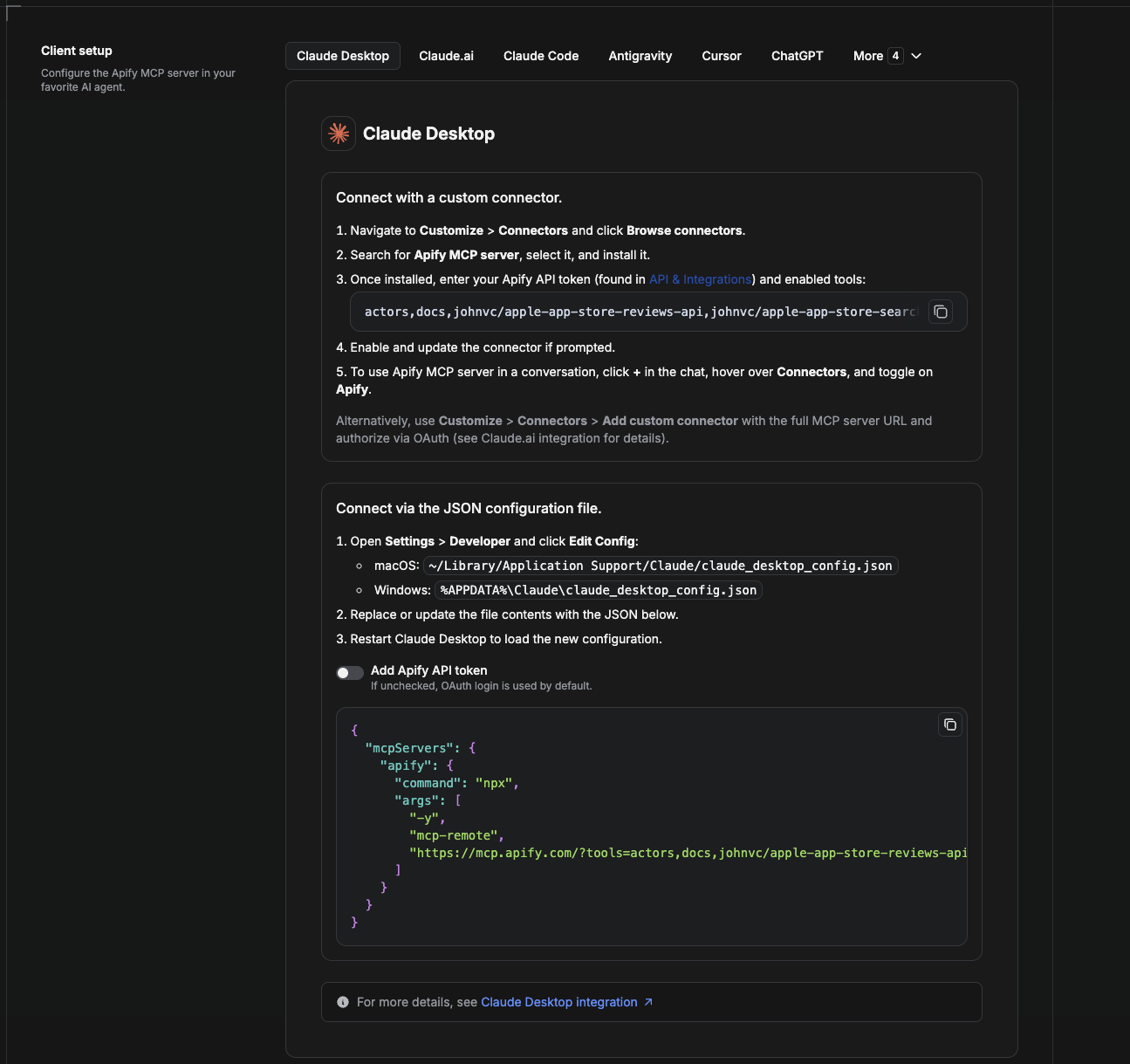
Cowork is the desktop app's automation mode. To give it the Google Maps Places API as a tool, add the Apify MCP server as a connector.
- Open the Claude desktop app and go to Settings → Connectors (or Settings → Developer → Edit Config to edit
claude_desktop_config.jsondirectly).- macOS:
~/Library/Application Support/Claude/claude_desktop_config.json - Windows:
%APPDATA%\Claude\claude_desktop_config.json
- macOS:
- Add the Apify MCP server, preloaded with only this Actor:
{
  "mcpServers": {
    "apify": {
      "command": "npx",
      "args": [
        "-y",
        "mcp-remote",
        "https://mcp.apify.com/?tools=actors,docs,johnvc/google-maps-places-api"
      ]
    }
  }
}- Restart the app. When Cowork first calls the tool, complete the OAuth prompt in your browser, or add your Apify API token in the connector settings to skip OAuth.
- In a Cowork chat, confirm the tool is available and ask it to run the Google Maps Places API.
Download the desktop app and start a free trial: https://claude.ai/referral/uIlpa7nPLg More help: https://docs.apify.com/platform/integrations/claude-desktop
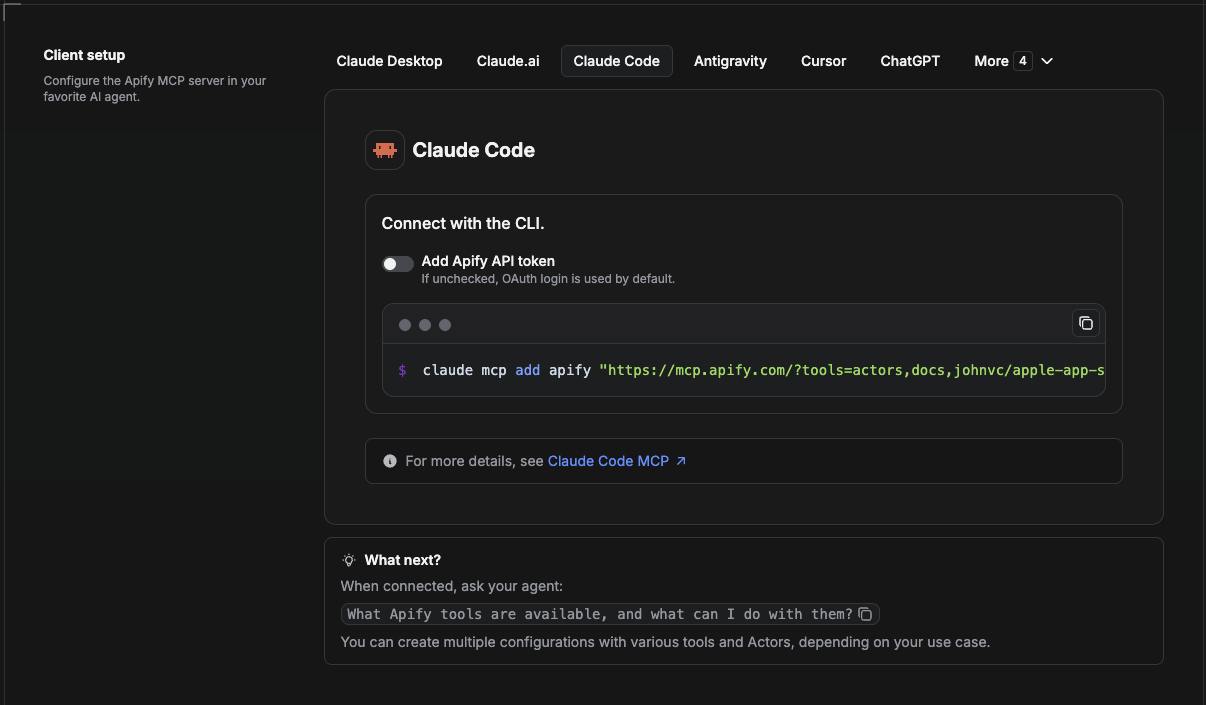
Claude Code is the command-line tool. Add the Actor's MCP server with one command:
claude mcp add --transport http apify \
  "https://mcp.apify.com/?tools=actors,docs,johnvc/google-maps-places-api"
To use a token instead of browser OAuth:
claude mcp add --transport http apify \
  "https://mcp.apify.com/?tools=actors,docs,johnvc/google-maps-places-api" \
  --header "Authorization: Bearer YOUR_APIFY_TOKEN"
Then verify with claude mcp list, or run /mcp inside a session. Ask Claude Code to call the Google Maps Places API.
Try Claude Code free: https://claude.ai/referral/uIlpa7nPLg Claude Code MCP docs: https://code.claude.com/docs/en/mcp
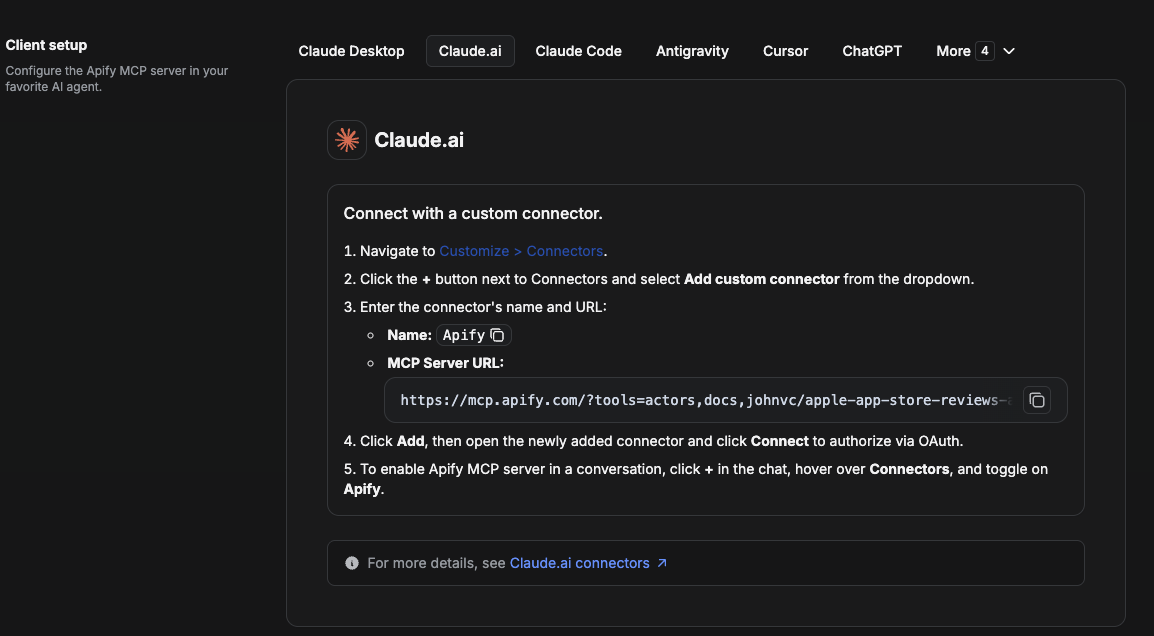
On claude.ai you add Apify as a connector, then enable just this Actor's tool.
- Go to Settings → Connectors → Browse connectors and search for Apify MCP server. Install it (enable or update if prompted).
- When connecting, authenticate with your Apify API token, and enable the tool
johnvc/google-maps-places-api. - In any chat, open + → Connectors and turn on Apify.
- Alternatively, choose Add custom connector and paste the full MCP URL
https://mcp.apify.com/?tools=actors,docs,johnvc/google-maps-places-api, using OAuth when prompted. - Ask Claude to run the Google Maps Places API.
Open Claude on the web: https://claude.ai/referral/uIlpa7nPLg
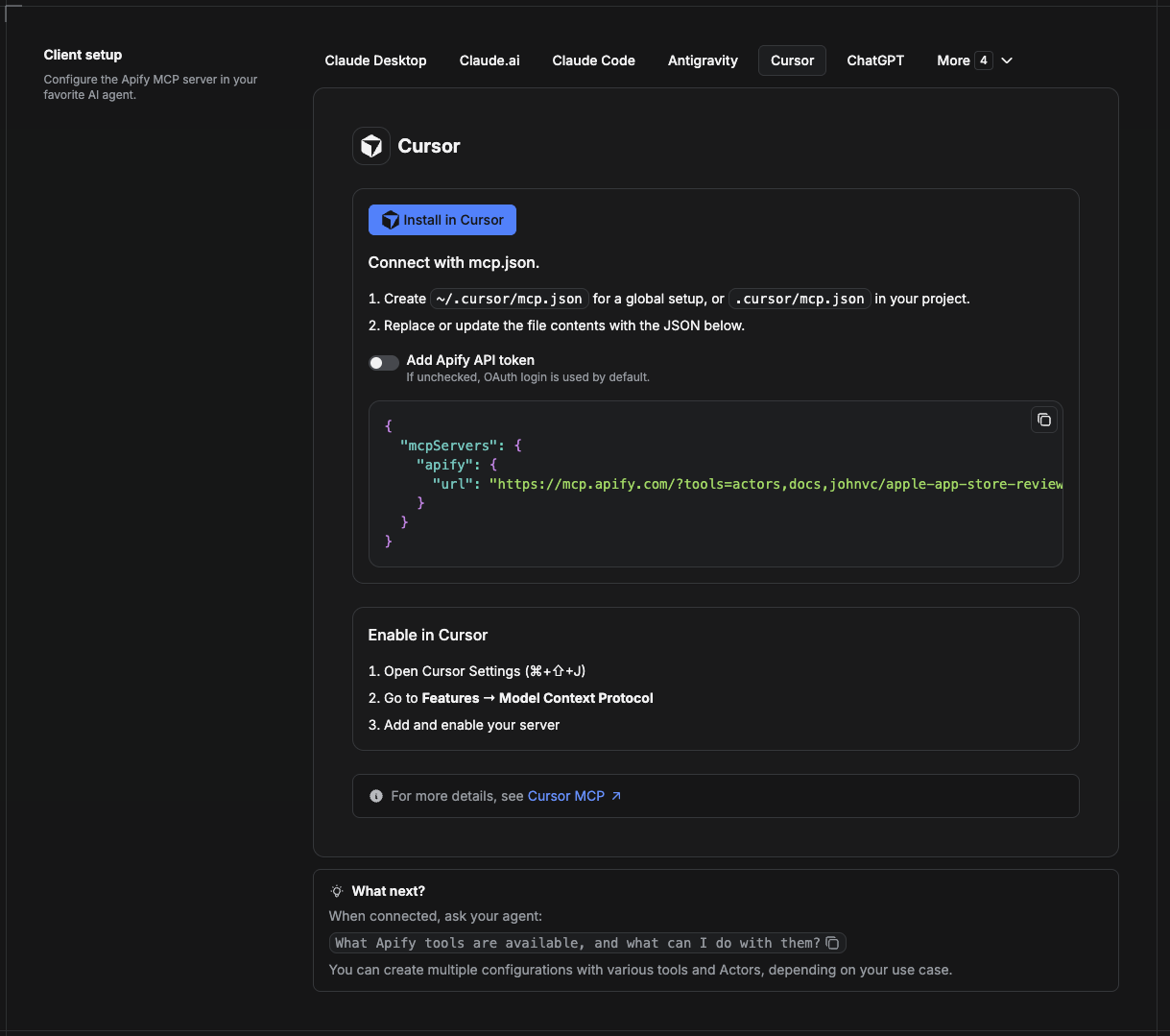
Cursor reads MCP servers from a project file at .cursor/mcp.json.
- In your project, create
.cursor/mcp.json:
{
  "mcpServers": {
    "apify": {
      "url": "https://mcp.apify.com/?tools=actors,docs,johnvc/google-maps-places-api"
    }
  }
}- If you prefer token auth over browser OAuth, add a header:
{
  "mcpServers": {
    "apify": {
      "url": "https://mcp.apify.com/?tools=actors,docs,johnvc/google-maps-places-api",
      "headers": { "Authorization": "Bearer YOUR_APIFY_TOKEN" }
    }
  }
}- Open Cursor → Settings → MCP and confirm the apify server is connected (green dot).
- In Composer or Chat, ask Cursor to call the Google Maps Places API.
New to Cursor? Get it here: https://cursor.com/referral?code=XQP4VBLI3NNX
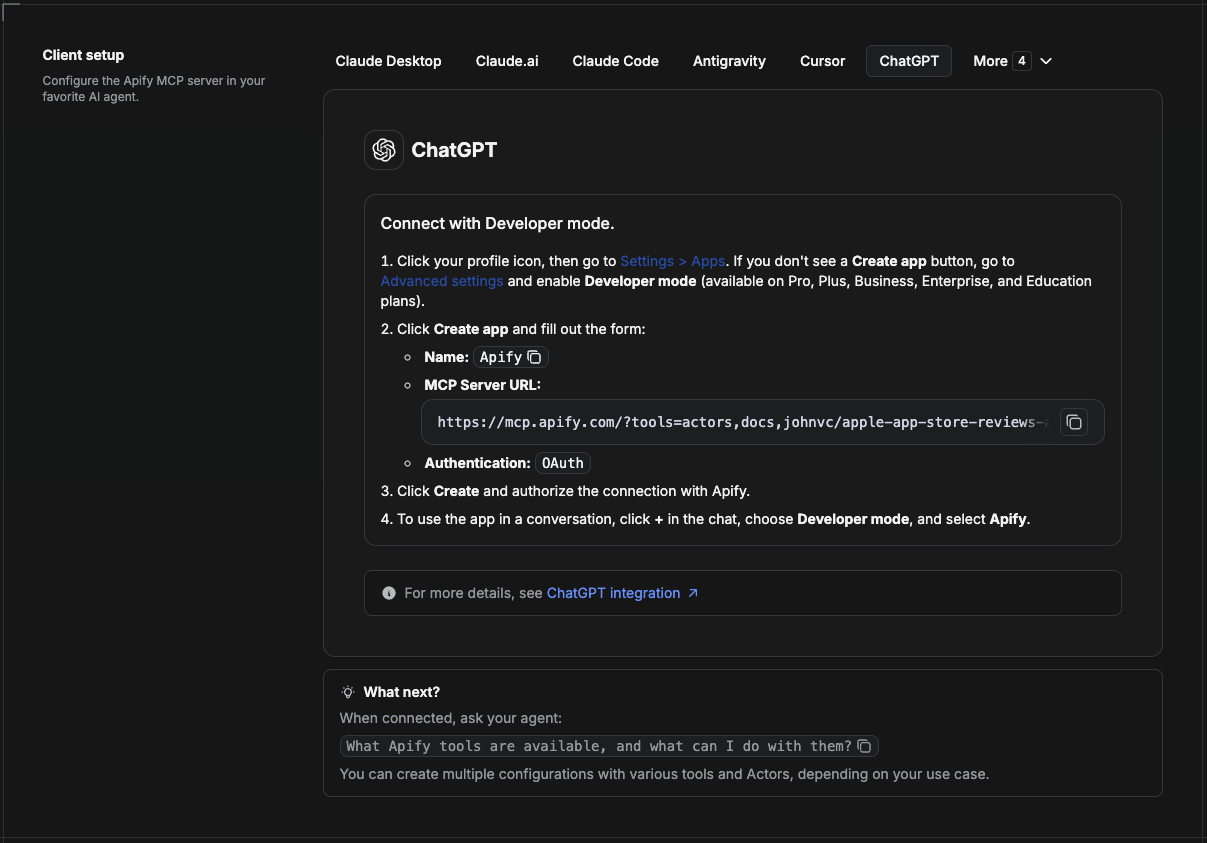
ChatGPT connects to the Apify MCP server through Developer mode (available on ChatGPT Pro, Plus, Business, Enterprise, and Education plans).
- Click your profile icon, then go to Settings > Apps. If you do not see a Create app button, open Advanced settings and enable Developer mode.
- Click Create app and fill out the form:
- Name: Apify
- MCP Server URL:
https://mcp.apify.com/?tools=actors,docs,johnvc/google-maps-places-api - Authentication: OAuth
- Click Create and authorize the connection with Apify.
- To use the app in a conversation, click + in the chat, choose Developer mode, and select Apify.
More help: https://docs.apify.com/platform/integrations/mcp
Use the Google Maps Places API to power local lead lists, market research, and place data for your product or AI agent.
Ready-to-run examples on the Apify Store, each targeting one local-data use case:
- Extract local business leads from Google Maps by API
- Extract phone numbers from Google Maps by zip code
- Find roofing contractor leads in Tampa with phone numbers
- Build a list of med spas in Miami with phone numbers
- Generate local leads in Claude via Google Maps MCP
- Export Google Maps Places to CSV
Open a ready-to-send prompt about the Google Maps Places Scraper in the AI of your choice:
- 💬 ChatGPT
- 🧠 Claude
- 🔍 Perplexity
- 🅒 Copilot
Last Updated: 2026.10.27