Always wanted to play with laser and cats. The future is now !

Okay not really a cat with laser eyes...
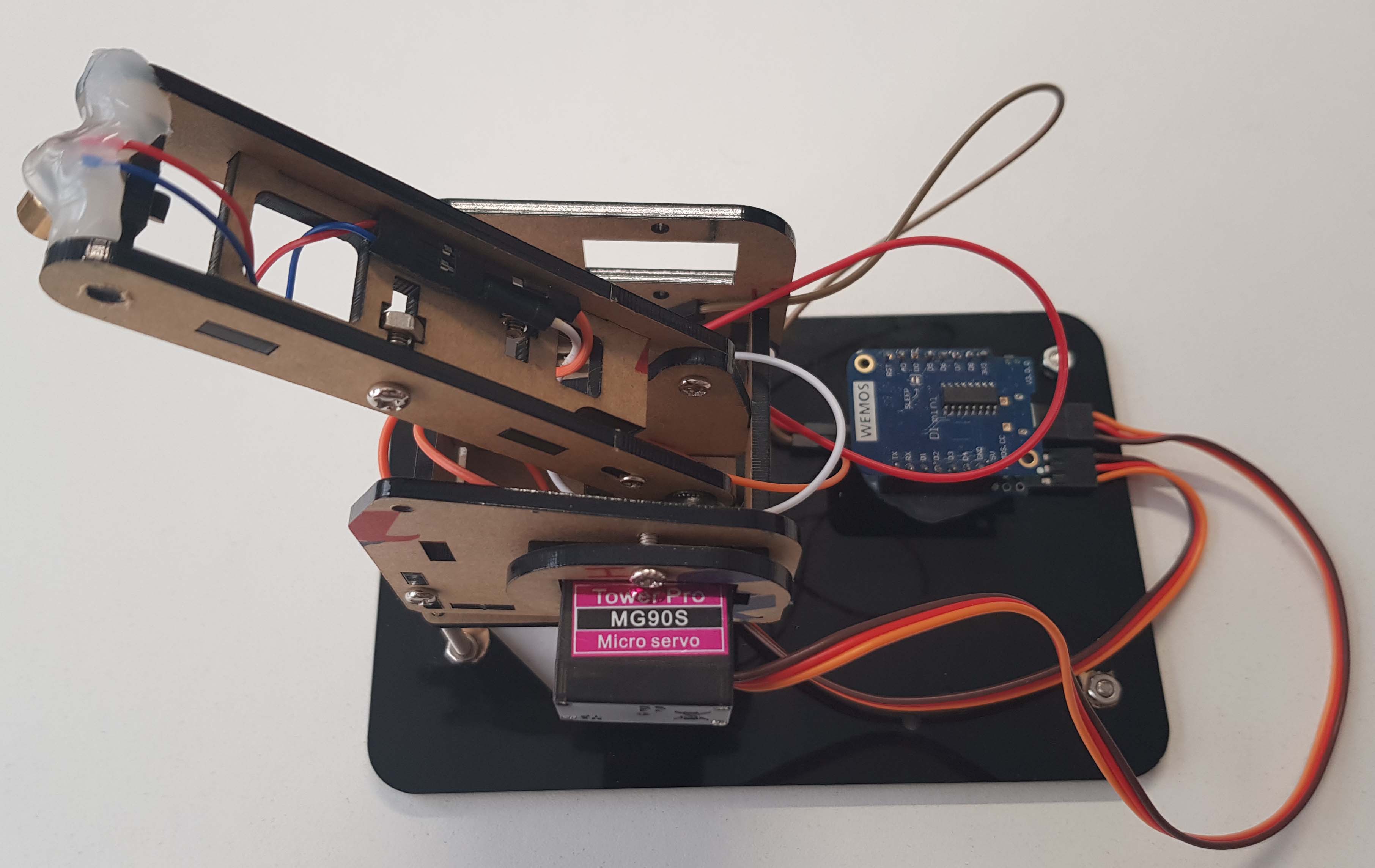
Catlaser is a useless as it sounds, it controls a robot arm with a laser on it to play with your cats.
- Have a little node.js script to send commands over MQTT (less transport weight than HTTP)
- Use EspEasy to control the servo motors
But we had some lattency issues and servo jitter using EspEasy so we decided to write our own code which is a lot more lightweight.
It is important to detach the servo motors to prevent them for jittering when wifi is trying to reconnect.
| Reference | Product | Unit Price | Qty | Total |
|---|---|---|---|---|
| ESP8266 | Espressif ESP8266 Microcontroller (Wemos D1 Mini r3) | 2.00€ | 1 | 2.00€ |
| IRF540 | Mosfet IRF540 | 1.80€ | 1 | 1.80€ |
| SG90 | Servo motor | 2.00€ | 2 | 4.00€ |
| 4 DOF Acrylic Unassembled DIY Robot Arm DIY Kit for Arduino Maker Learning | 10.00€ | 1 | 10.00€ | |
| 650nm 6mm 5V 5mW laser | 1.50€ | 1 | 1.50€ | |
| Total | 19,30€ |
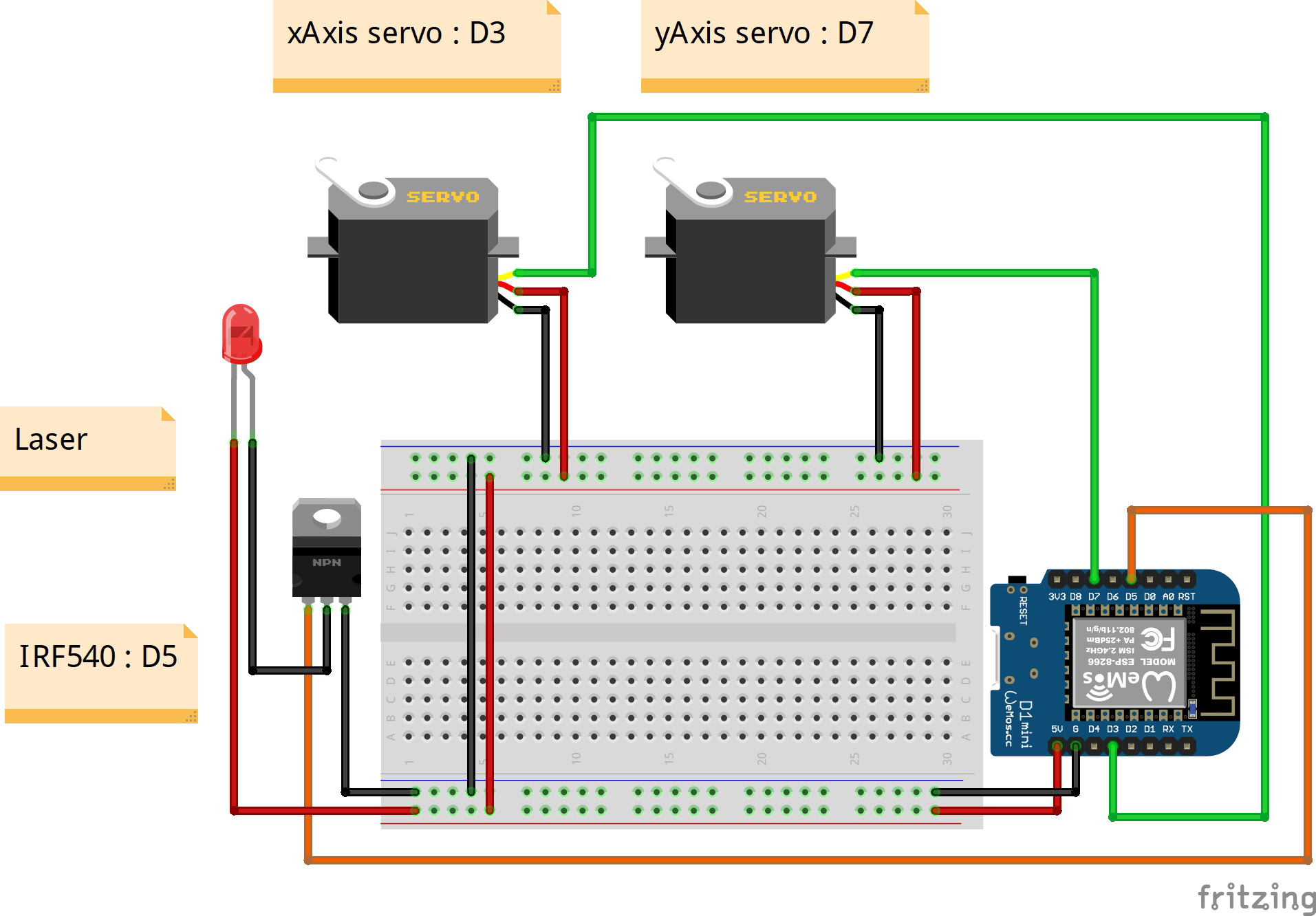
Wiring can be found in resources/Sketch.fzz
- Set this
Complementary board URLin your Arduino IDE settings:http://arduino.esp8266.com/stable/package_esp8266com_index.json - Go to
Tools -> Board Type -> Board Managerand install the following packages:esp8266
Then, in the Tools menu, select the following values:
- Board type:
LOLIN(WeMos) D1 R2 & mini - Flash size:
4M (no SPIFFS) - CPU Frequency:
160 MHz - Upload Speed :
921600(go lower if flashing fails)
Change the following values by your own in arduino_code/arduino_code.ino
// Replace these variables
const char* ssid = "YOUR_SSID_HERE";
const char* password = "YOUR_PASSWORD_HERE";
const char* mqtt_server = "YOUR_MQTT_SERVER_IP_HERE";ssid: SSID of your access pointpassword: password of your access pointmqtt_server: ip of your computer (port 1883 is blocked by default by your windows firewall), this can be found on node.js server startup
The node.js server (which includes the mqtt server) can be found in server folder.
You can start the server using :
npm install
node index.js
The server will start and show you usefull information
Press ctrl+c to exit ...
Press 'r' to reset
Press 'space' to toggle laser
Use arrow keys to move

Your computer have the following ip's :
192.168.56.1    : VirtualBox Host-Only Network
192.168.40.1    : VMware Network Adapter VMnet8
10.33.253.166   : Wi-Fi

MQTT server started
Waiting for ESP ...