
ZSend is an email sending gateway deployed on Cloudflare Workers. It provides a Web admin panel, multiple SMTP account management, and a unified HTTP email sending API.
- Supports deployment on Cloudflare Workers
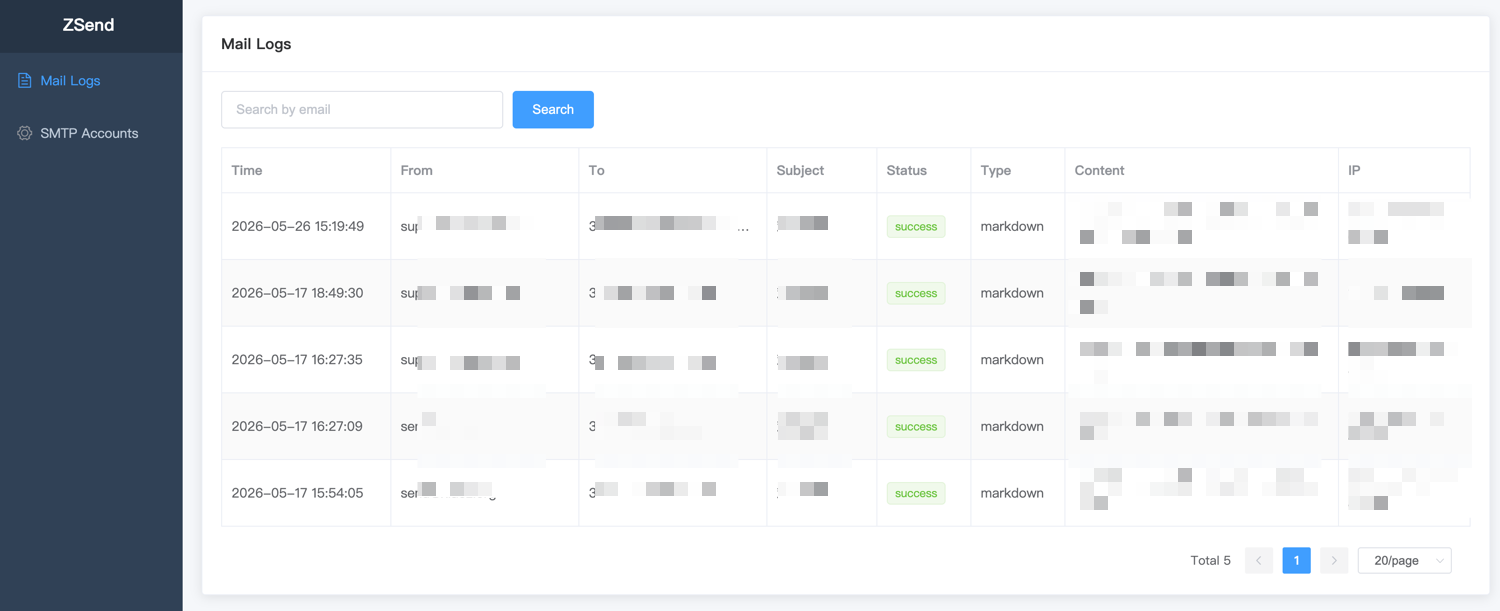
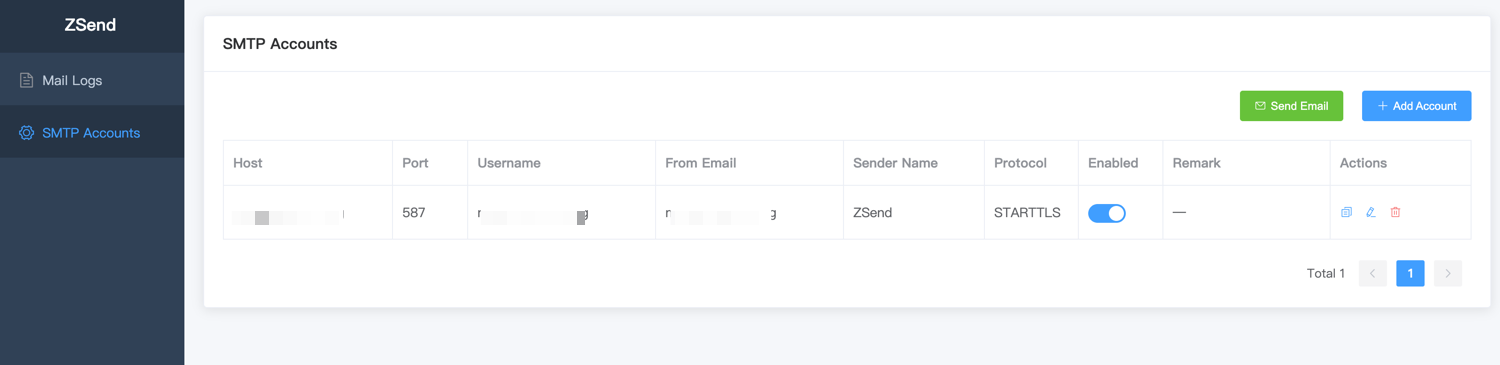
- Visual management: manage SMTP accounts and view email sending logs through the Web UI
- Supports configuring multiple SMTP accounts
- Provides a unified HTTP API for sending emails
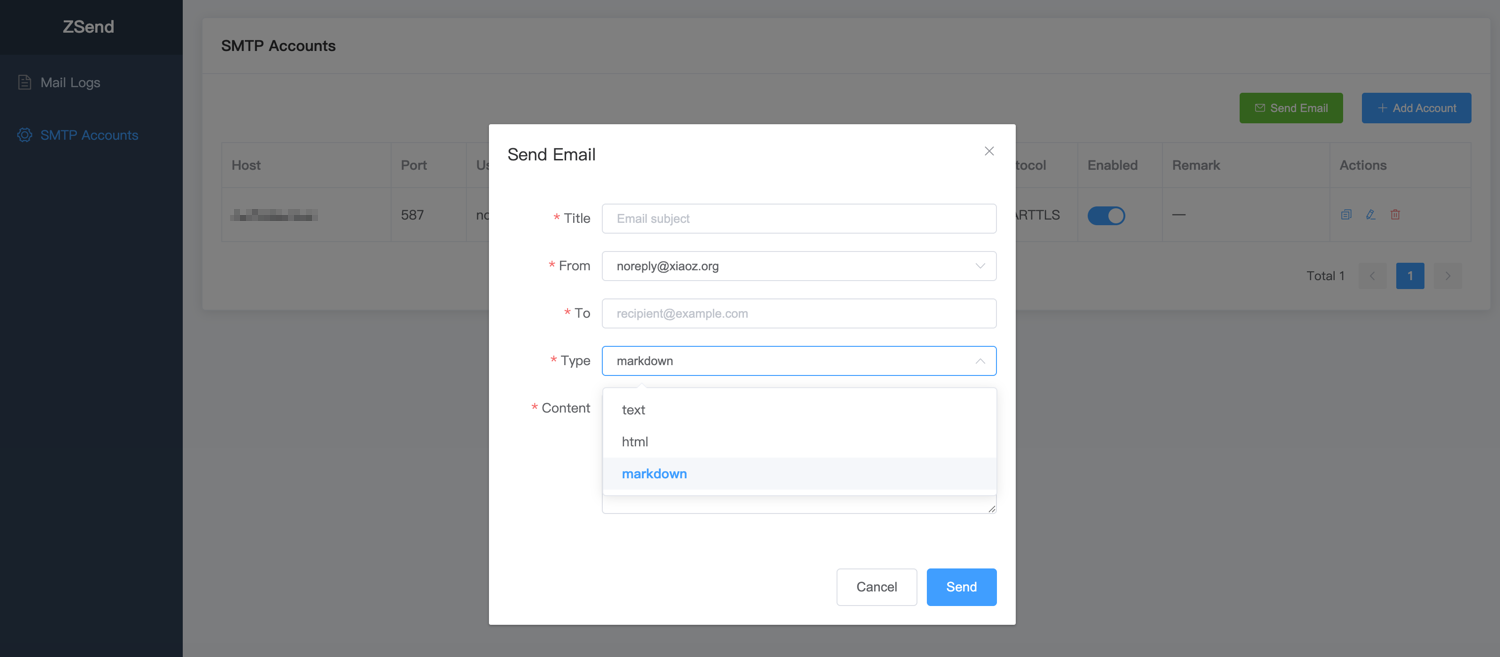
- Supports
text,html, andmarkdowncontent - Automatic retry: retries once when SMTP sending fails
- Sending logs: records a log for every email sending request, including which API key was used
- Authenticated access: the admin panel uses username/password login; the send endpoint is protected with API keys
- Install Wrangler CLI
- Log in to your Cloudflare account
- Install Bun
wrangler loginFork this project to your GitHub account, then clone it locally:
git clone https://github.com/your-username/zsend.git
cd zsendwrangler d1 create zsendAfter creation, you will see output similar to:
✅ Successfully created DB 'zsend'
[[d1_databases]]
binding = "DB"
database_name = "zsend"
database_id = "xxxxxxxx-xxxx-xxxx-xxxx-xxxxxxxxxxxx"
Copy the generated database_id into the database_id field in wrangler.jsonc.
# Admin login username
wrangler secret put ADMIN_USERNAME

# Admin login password
wrangler secret put ADMIN_PASSWORD
ADMIN_USERNAME and ADMIN_PASSWORD are used for the Web admin login. To change the password later, update the secret and redeploy.
API keys for POST /api/v1/send are created in the Web UI (API Keys page), not with environment variables.
bun install
wrangler deploy
After deployment succeeds, the access URL will be displayed, for example: https://zsend.your-subdomain.workers.dev
After deployment, visit https://zsend.your-subdomain.workers.dev, log in with your admin username and password, then configure SMTP accounts and create API keys through the Web UI.
Create an API key on the API Keys page, then use it as the Bearer token:
curl -X POST "https://zsend.your-subdomain.workers.dev/api/v1/send" \
  -H "Authorization: Bearer sk-xxxxxxxx" \
  -H "Content-Type: application/json" \
  -d '{
    "from": "no-reply@example.com",
    "to": "user@example.com",
    "title": "Welcome",
    "content": "# Hello\nThis is an email sent by ZSend.",
    "type": "markdown",
    "sender_name": "ZSend Notifications"
}'POST /api/v1/send
Authorization: Bearer <API_KEY>
Content-Type: application/jsonRequest body example:
{
  "from": "no-reply@example.com",
  "to": "user@example.com",
  "title": "Welcome",
  "content": "# Hello\nThis is an email sent by ZSend.",
  "type": "markdown",
  "sender_name": "ZSend Notifications"
}
Field reference:
from: required, sender email addressto: required, recipient email address; can be a string or an array, for example:["user1@example.com", "user2@example.com"]title: required, email subjectcontent: required, email bodytype: optional, onlytext,html, andmarkdownare supported; default istextsender_name: optional, display name for the sender in this request; overrides the default value in the configuration
curl example:
curl -X POST "http://127.0.0.1:8000/api/v1/send" \
  -H "Authorization: Bearer sk-xxxxxxxx" \
  -H "Content-Type: application/json" \
  -d '{
    "from": "no-reply@example.com",
    "to": "user@example.com",
    "title": "Welcome",
    "content": "# Hello\nThis is an email sent by ZSend.",
    "type": "markdown",
    "sender_name": "ZSend Notifications"
  }'