
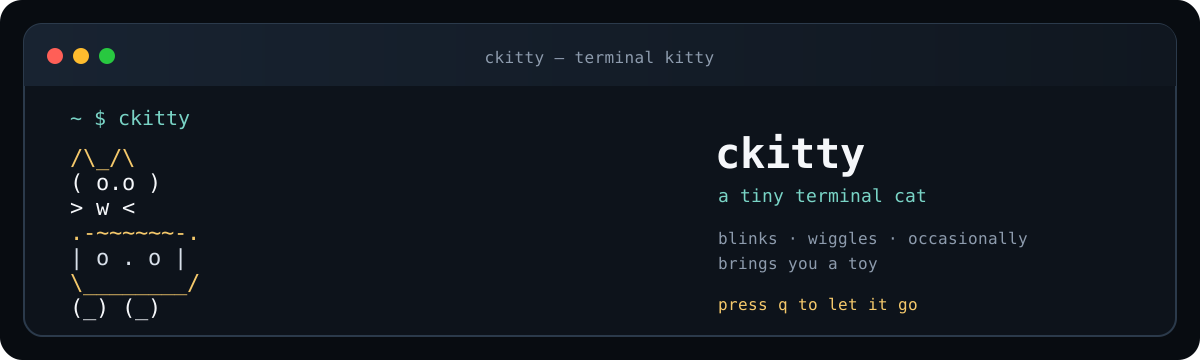
A tiny, animated terminal cat for the moments when your terminal needs a friend.
GPL-3.0 · releases · C11 · ncurses · macOS + Linux
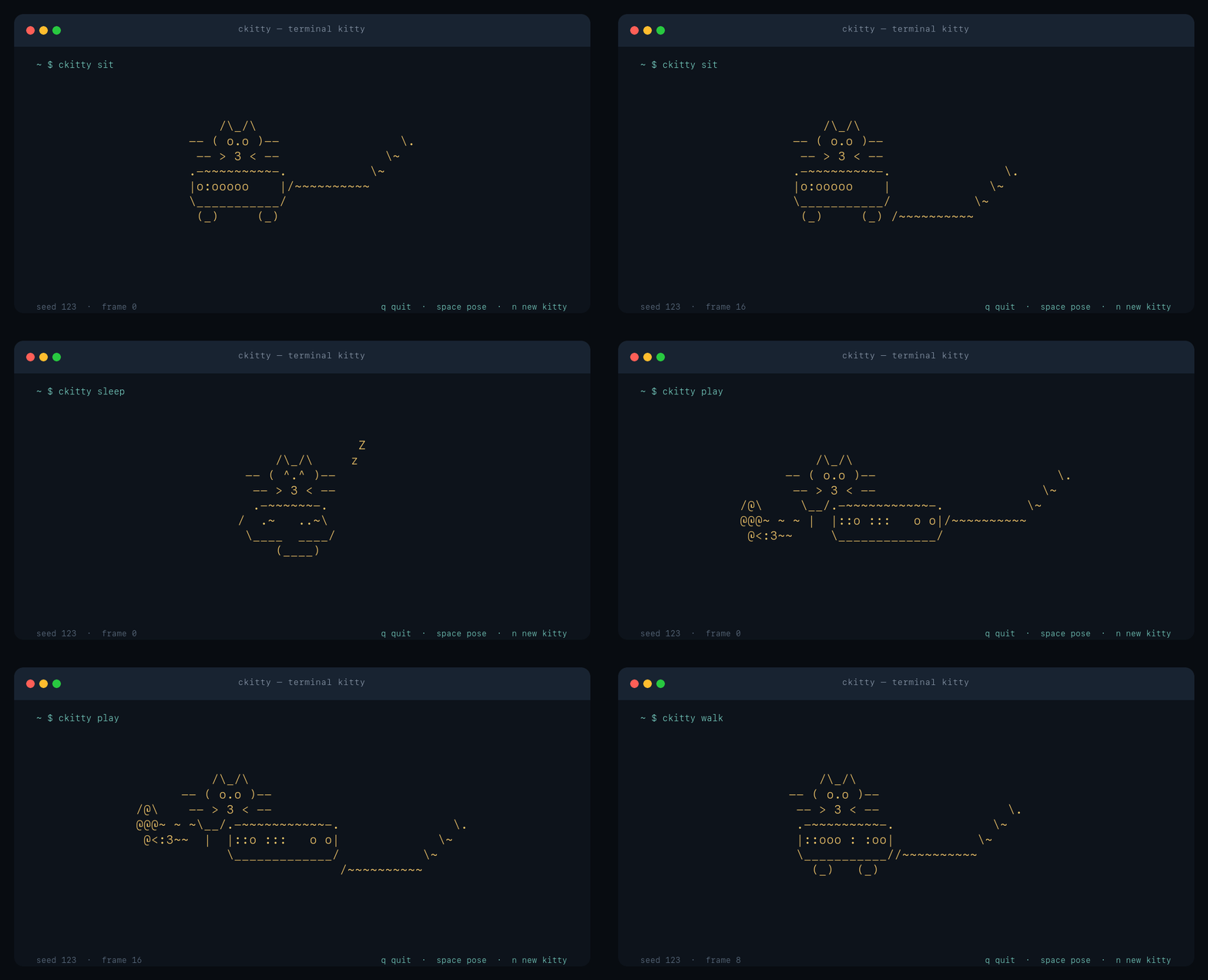
A gallery of --dump frames; the interactive app adds color and controls.
ckitty is a small native program that draws ASCII cats directly in your terminal. Broad faces, rounded haunches, little paired paws, and curled tails give each of its four poses a distinctly feline silhouette. Blinking eyes, soft steps, subtle coat variations, and ambient twinkles keep it alive without becoming noisy. A warm amber palette and an unobtrusive interface make it a cozy place to leave your terminal.
No account. No runtime. No Electron. Just a cat.
If you have a macOS or Linux machine, this is the whole installation:
curl -fsSL https://raw.githubusercontent.com/fortunexbt/ckitty/main/install.sh \
  | sh -s -- --prefix "$HOME/.local"
Then:
ckittyThe installer builds and tests the one canonical ckitty binary, installs it under $HOME/.local/bin, and never calls sudo. If that directory is not on your PATH yet:
export PATH="$HOME/.local/bin:$PATH"Want to try it without installing anything?
git clone https://github.com/fortunexbt/ckitty.git
cd ckitty
make
./ckitty
Tagged releases also include checksumed Linux x86_64 and Apple silicon archives.
ckitty— a cozy kitty in warm amberckitty play— a little more energyckitty --theme moon— a cool evening palette (forestis available too)ckitty --quiet— start with the interface hiddenckitty --ascii— plain, color-free outputckitty -l— a piece-by-piece revealckitty -S -m "back soon"— a quiet screensaver
While it is running:
space         cycle poses
1 / 2 / 3 / 4  sit / sleep / play / walk
n             summon a new kitty
p             pause or resume
t             cycle amber / moon / forest
h             hide or show the interface
?             open help (temporarily pauses the scene)
esc           close help, or quit when help is closed
q             quit from anywhere
Pause freezes motion, the piece-by-piece reveal, and screensaver movement. The layout and help adapt to smaller terminals and redraw safely on resize; very small windows get a friendly resize message. Palettes use 256 colors when available and fall back to eight colors. --ascii and NO_COLOR=1 disable color, and terminals without color support stay readable.
Messages support Unicode in a UTF-8 locale, including wide characters and combining accents. Long messages stop at the edge of their row.
For scripts, screenshots, tests, or just getting the same cat twice:
./ckitty --dump --seed 123 sit--dump does not initialize ncurses. It writes one clean frame to standard output with no ANSI escapes, and it accepts --frame, --width, and --height when you need a particular canvas. Themes and interactive controls do not change its deterministic output.
Most people never need the rest of the options. If you do, ckitty --help has the complete list.
Requirements: a C11 compiler, wide-character ncurses, and libm. The build uses ncursesw on Linux and ncurses on macOS; the packages below provide the required support.
make
make check
make sanitize
On macOS, Homebrew’s ncurses is detected automatically:
brew install ncursesOn Debian or Ubuntu, install libncurses-dev. Fedora calls the package ncurses-devel.
To install from a checkout:
./install.sh --prefix "$HOME/.local"For a system prefix, use sudo make install PREFIX=/usr/local explicitly. To remove an installation, run make uninstall PREFIX=....
The renderer is deliberately small and deterministic. The useful checks are:
make check       # build, renderer tests, CLI tests, resize tests
make sanitize    # AddressSanitizer + UndefinedBehaviorSanitizer
make demo        # rebuild the README GIF (ImageMagick + FFmpeg)
assets/ckitty-demo.gif is made from real --dump frames, so the gallery stays honest. tools/make-demo.sh keeps the capture reproducible and the README animation intentionally slow enough to look at.
More examples live in EXAMPLES.md. The project layout is in docs/PROJECT_STRUCTURE.md, and contribution notes are in CONTRIBUTING.md.
GPL-3.0 — see LICENSE.