Render Distance+ is a powerful Minecraft datapack that completely overhauls the default render distance by leveraging the power of Voxy and Chunky. This datapack 100% automates the Chunky chunk loading workflow, saving you a lot of continuous command inputs.
- Fully customizable directly in-game
- Performance-friendly background loading
- Requires no high-end hardware to run efficiently
- Works seamlessly on Survival & Hardcore without enabling cheats
- User-Friendly GUI designed for effortless configuration
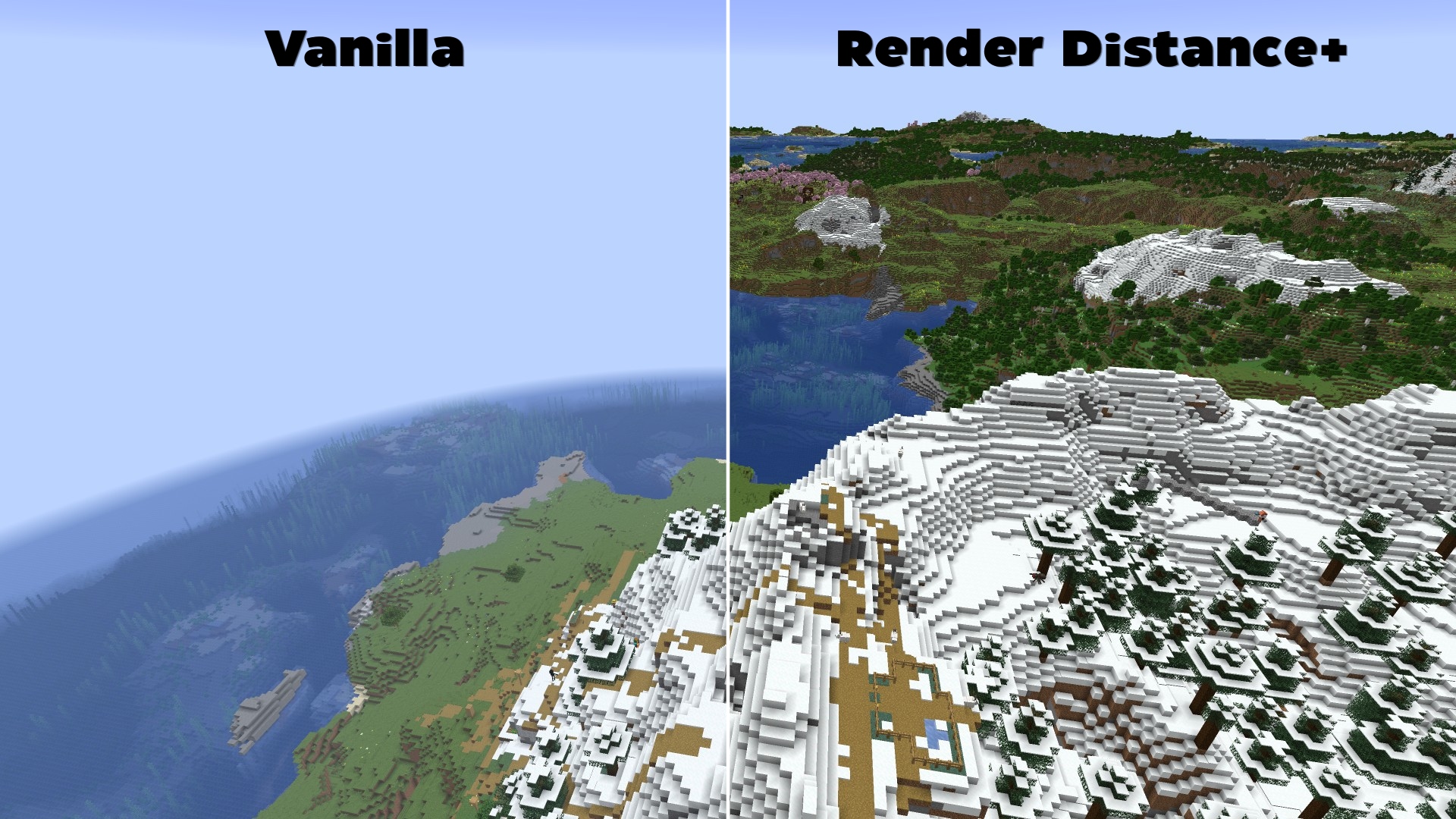

To get the absolute most out of Voxy's rendering engine, users normally need to manually configure Chunky to pre-load chunks. Traditionally, this is a tedious and complex process involving multiple terminal commands, radius calculations, and constant server/world reloading.
Render Distance+ solves this problem entirely:
- 100% Automated Background Loading: The datapack dynamically handles all the heavy Chunky commands in the background while the player explores the world.
- Full Dimension Support: Works automatically across all vanilla dimensions (The Overworld, The Nether, and The End).
- In-Game Settings GUI: No need to edit config files. Change your generation speed, maximum target distance, and toggle features directly via an intuitive in-game interactive chat GUI.
Before installing, ensure you have both the Voxy and Chunky mods installed in your modpack.
- Download the Render Distance+ datapack
.zipfile. - When creating a new world in Minecraft, click on the Datapacks tab.
- Drag and drop the downloaded
.zipfile into the menu, move it to the selected column, and create your world.
How to install this datapack on an existing world?
- Select your world in the Minecraft singleplayer menu and click on Edit.
- Click on Open World Folder and navigate to the
datapacksfolder. - Copy the Render Distance+
.zipfile directly into this folder. - Join your world and type
/reloadto initialize the system.
Once inside your world, open the chat and type:
/reload
If the installation was successful, a custom text-based configuration GUI will immediately pop up in your chat, allowing you to begin your automated chunk-loading setup.
Requirements (Mods)
- Chunky (Required for background generation)
- Voxy (Required for high render distances)
- Sodium (Required by Voxy)
Please go to https://github.com/Kletterstein92/Render-Distance-Plus/issues to report any bugs or other errors