
An Electron desktop for Claude, Codex, and the coding CLIs already on your machine.
One session rail per workspace. Local project memory. Plan windows when the vendor reports them.

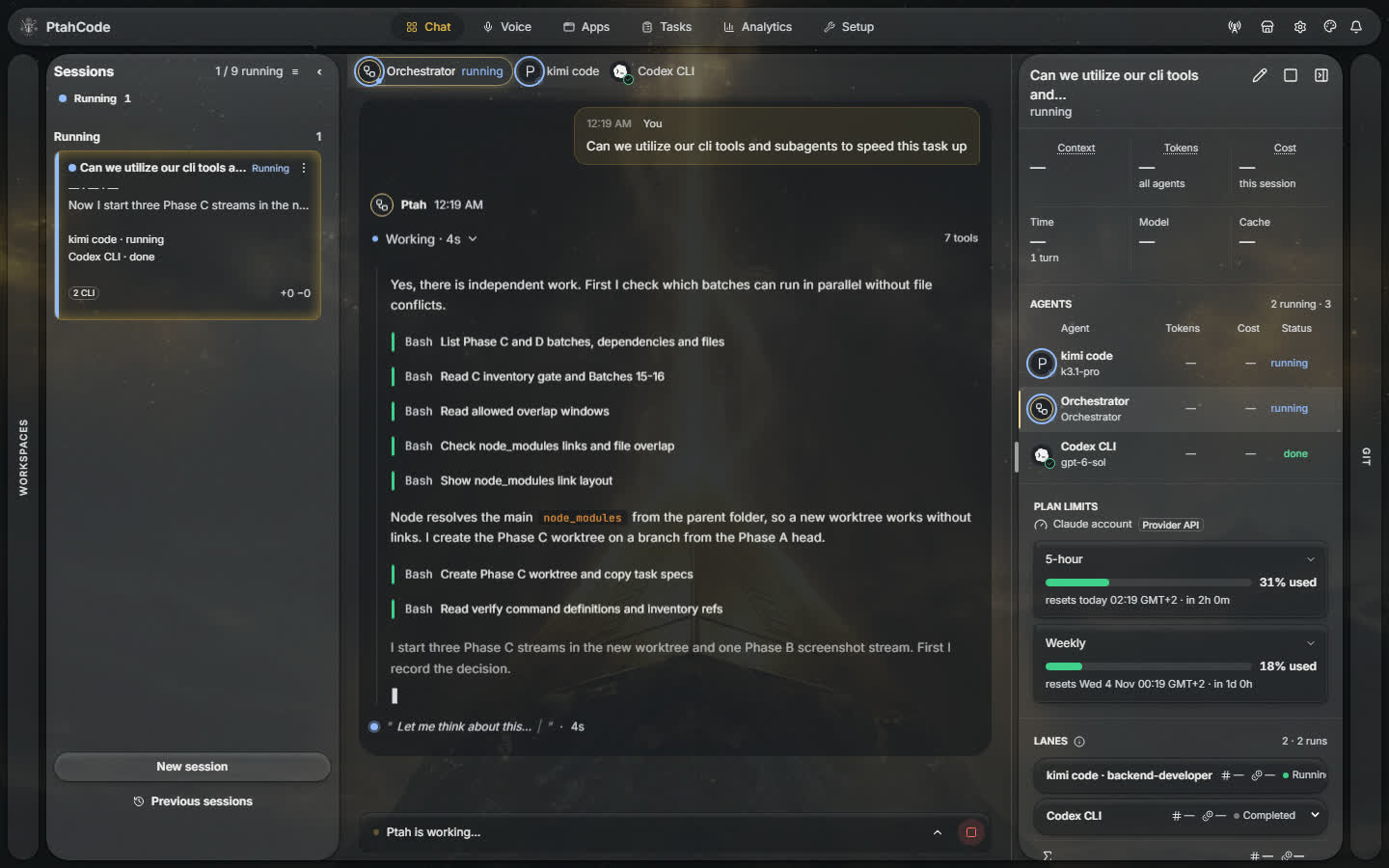
The still is the landing hero poster. The link is the same Orchestration clip the hero plays (orchestration.mp4).
More clips from the landing catalog:
| Clip | Poster | What it shows |
|---|---|---|
| Tribunal Council | still | Several perspectives brought into one decision |
| Command Center | still | Work and activity across PtahCode in one place |
| Multi-agent orchestration | still | Multiple agents coordinated through a shared task |
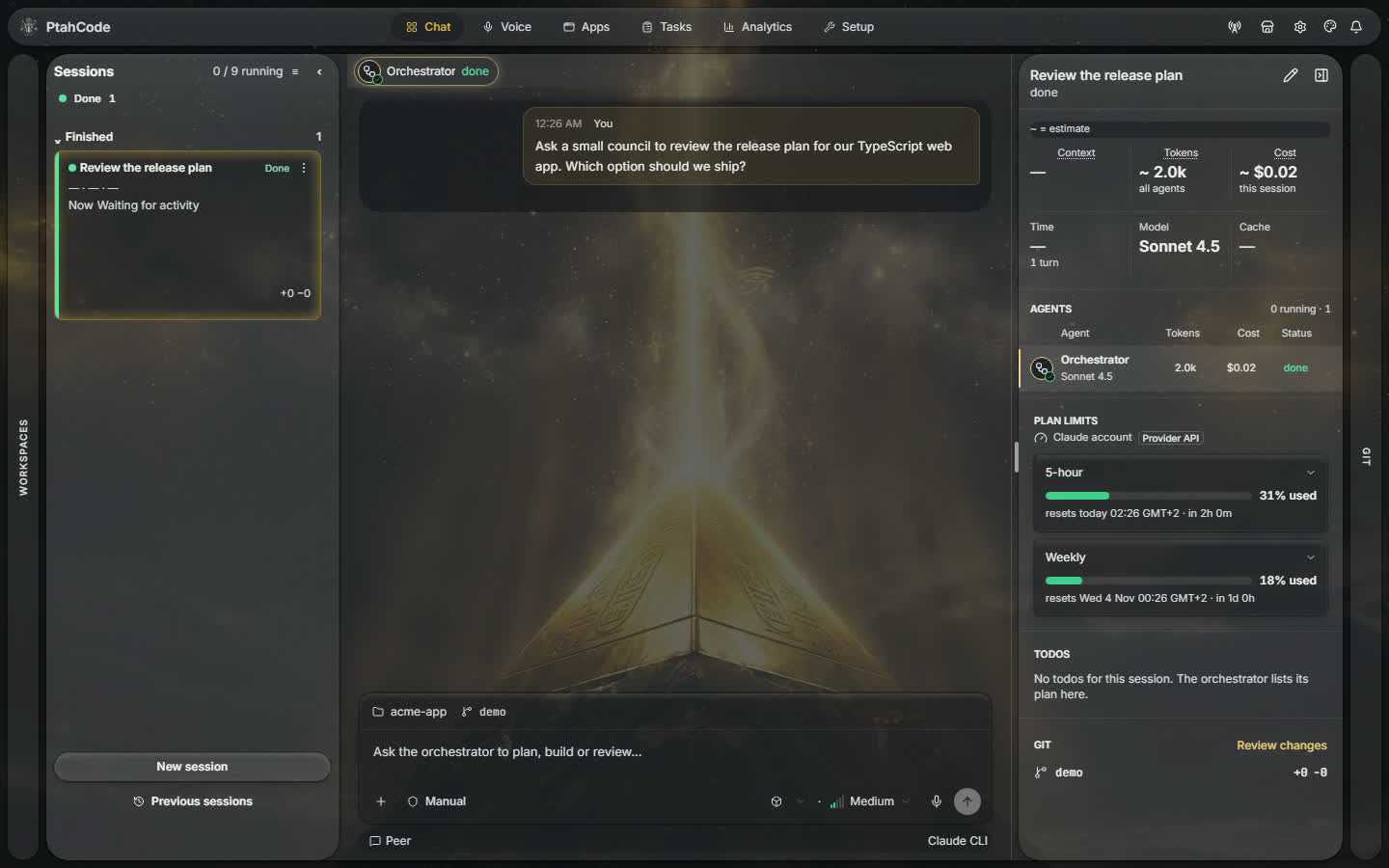
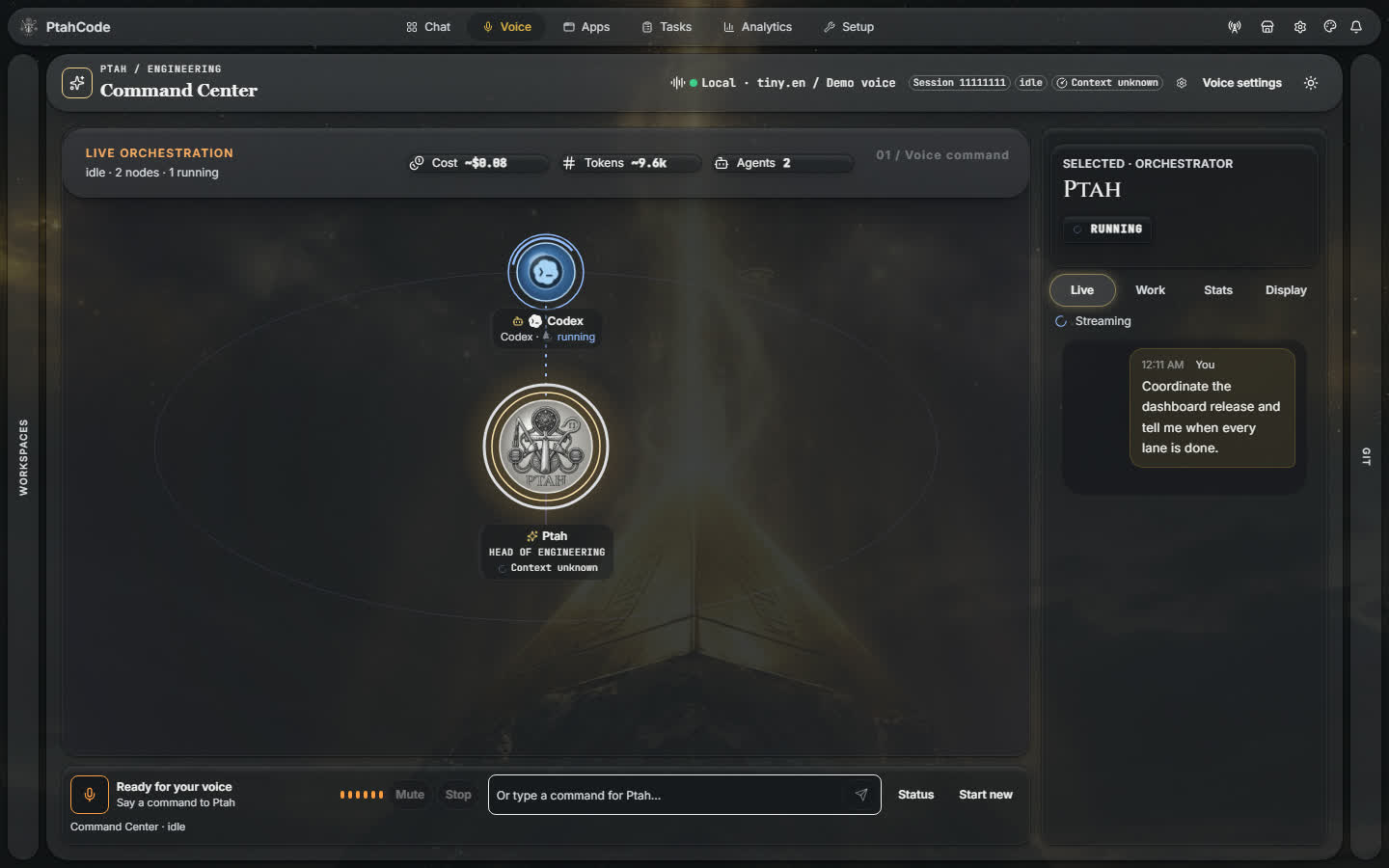
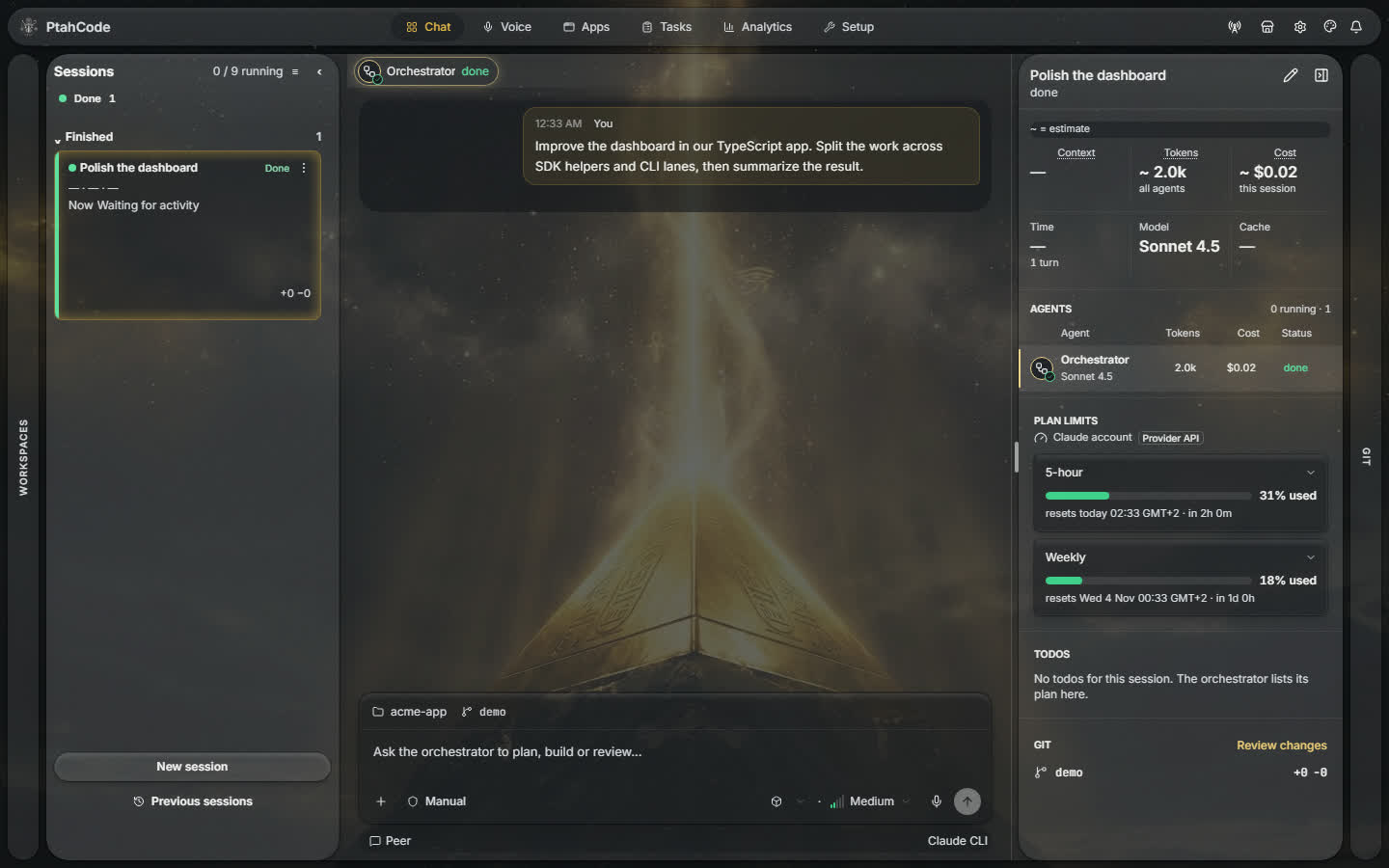
The download is the Electron app. With a workspace open, the title bar holds these tabs: Chat, Voice, Apps, Tasks, Reviews, Analytics, and Setup.
- Session rail. One board per workspace. Up to 20 session tiles. Nine may run at once. Density is comfortable or dense. Sort is recent or manual.
- Voice. An Electron stage that listens, speaks, and can barge in. It stays on “Voice unavailable” until both speech-to-text and text-to-speech are configured. Local engines need model assets. ElevenLabs needs a key.
- Apps. The agent publishes a form, chart, or table from a closed component catalog, beside a private transcript. A failed surface says it could not be shown.
- Attention bell. Questions, permissions, failures, and warnings across sessions and workspaces. Permission rows can be allowed or denied without opening that session.
- Display panel. A sandboxed HTML artifact opens beside the transcript and can detach into its own window. Links use an allowlist.
- Two main-chat runtimes. Claude’s agent runtime, or Codex through the app-server protocol. Background work can run on installed CLIs.
- Plan windows. Where Claude, Codex, Kimi, Antigravity, OpenCode, Grok, or Ollama Cloud reports a usage window, a lane at its limit can be refused. A provider with no window does not get a fake meter.
PtahCode indexes the repository, keeps decisions after the chat ends, and runs specialized agents against that map. The Electron app for Windows, macOS, and Linux hosts the product. Its Angular webview renders the interface. Provider CLI lanes run delegated work.
In Electron, the chat transcript sits above the composer; assistant turns can expand their work log to show tool activity.
Main chat can sit on Claude’s agent runtime or on Codex’s app-server. Installed CLIs can run in the background. A local scorecard records how those runs turned out.
- Classify. A pre-flight labels the turn with a task type and a depth. Task types are
FEATURE,BUGFIX,REFACTORING,DOCUMENTATION,RESEARCH,DEVOPS,SAAS_INIT, andCREATIVE. Depth isFull,Partial, orMinimal. - Fast decision model. A decision-model call proposes that classification. The client aborts the request after 3 seconds.
- Local evidence. Outcomes from the last 90 days in this workspace become a matrix of pass and fail per model family, model, and task kind. Each cell is blended with a seed prior for that same family, model, and task kind.
- Hard rules. A
reviewordocument-reviewphase cannot use a candidate from the same model family as the implement phase it reviews. Other gates still apply: at limit, disabled, not installed, and roles that never run on a lane. - Wired into chat. When host routing is on, each admitted turn starts a scope check. Once the scope is agreed, one pre-flight runs and the next turn can receive a
Routing:reminder with the task type, the depth, and the lanes and subagents that are available. The core prompt tells the orchestration workflow to follow that reminder unless you say otherwise. Executor choice at plan approval stays with gate-0.1. A lane spawn can record a task kind (plan,implement,review,research,tests,docs) and a routing source (model,ranking, orpin). Those fields are optional. - Closed loop. A lane reports back with
ptah_outcome_report. Declared files count as delivered only when each one exists, has a size greater than zero, and was modified at or after the run started. A review of a run by that same agent is refused. The delivery and review rates from those reports are what step 3 reads.
flowchart LR
  A[Classify type and depth] --> B[Fast decision model]
  B --> C[Blend with 90-day matrix]
  C --> D[Drop same-family reviewers]
  D --> E[Routing reminder]
  E --> F[ptah_outcome_report]
  F --> C
In a session, the Orchestrator, its sub-agents, CLI lanes and background agents appear as lane tabs. A completed turn can expand a Worked row to show its tool calls.
- CLI lanes. Supervised processes include
claude,codex,copilot,cursor,antigravity,opencode,grok, andpi, plus API providers such as Kimi, GLM, MiniMax, Qwen, DeepSeek, OpenRouter, and Ollama. Adapter manifests show potential messaging support in list rows; a live lane resolves what its current handle can actually do. Send queues during a running turn. Send now steers when supported, or offers interrupt and resume with explicit consent to lose partial work. Each accepted message has a receipt that tracks delivery through settlement. - Child chats. A parent can open up to three child sessions. Each child gets its own git worktree and branch and its own tab. That cap is separate from the rail’s nine running sessions.
- Handoff. When context fills, a new top-level chat can adopt in-flight lanes and child sessions. After an automatic handoff, the previous tab closes when the successor acknowledges the handoff and the source tab passes the safety checks.
- Named Claude accounts. A personal account is certified before launch or resume (binary fingerprint, managed-policy scan, stripped environment, per-account config). The first init message is checked so the live subscription is the one that was supposed to run.
Read more: Agents
Resumes, idle time, subagent length, and vendor plan windows are gated in the product. Spend from main chat, Codex app-server turns, and CLI lanes is stored. A contribution can be provider-reported, model-priced, or unpriced.
- Resume gate. A completed lane is not resumed above 150,000 context tokens or after 10 minutes idle. The caller is told to start a fresh lane with a short brief.
- Repeated calls. Identical non-edit tool calls are hashed. The lane warns, then stops, instead of capping how many tool calls a long edit may make.
- Idle compaction. After a turn goes idle, the session can compact while a background subagent is still running, then move through tighten, handoff, and limit.
- Subagent budget. A subagent is warned at 85% of its configured handoff budget and can be asked to write a
.handoff.md. - Plan windows. Remaining quota can show on a session tile when the provider reports it. Spawn can refuse an at-limit lane.
- Analytics. Tokens and cost per session, model, and agent, with history. The in-app analytics tab is the ledger surface.
Read more: Providers
Voice is a title-bar tab on Electron (/command-center in the app). It is a stage: work nodes, captions, a work list, and a display rail. Controls start, mute, stop, and interrupt. The spoken persona keeps replies to one or two sentences and delegates the rest. This is separate from voice notes on Telegram, Discord, or Slack.
Apps is a title-bar tab. The agent updates a surface through ptah_surface_update and reads it back. The catalog covers layout, inputs, charts, tables, lists, and alerts. It is not arbitrary HTML.
The bell splits “Needs you” from “Recent notices.” A row names the session, provider, and workspace. Sound can be muted.
- Transcript cards. A
ptah-uiblock can render a live card bound to agents and limits. Malformed atoms fail closed. The same renderer family draws Apps surfaces. - Turn trailers. A turn that changes files can end with added, modified, deleted, renamed, or conflicted paths, plus a chip for files, tests, tokens, cost, and duration. A turn that changes nothing has no files card in the turn summary.
- Git review dock. Tabs for Changes, Commit, Task, and History. The spot editor is CodeMirror. A foreign worktree’s Changes tab is read-only. The skill-enhancement preview is a separate Monaco diff.
- Questions. Stepped question cards in the transcript. The bell can answer one.
- Session details. Expand the inspector beside the focused session to see its requests, stats, agents, plan limits, task, git changes, and linked sessions.
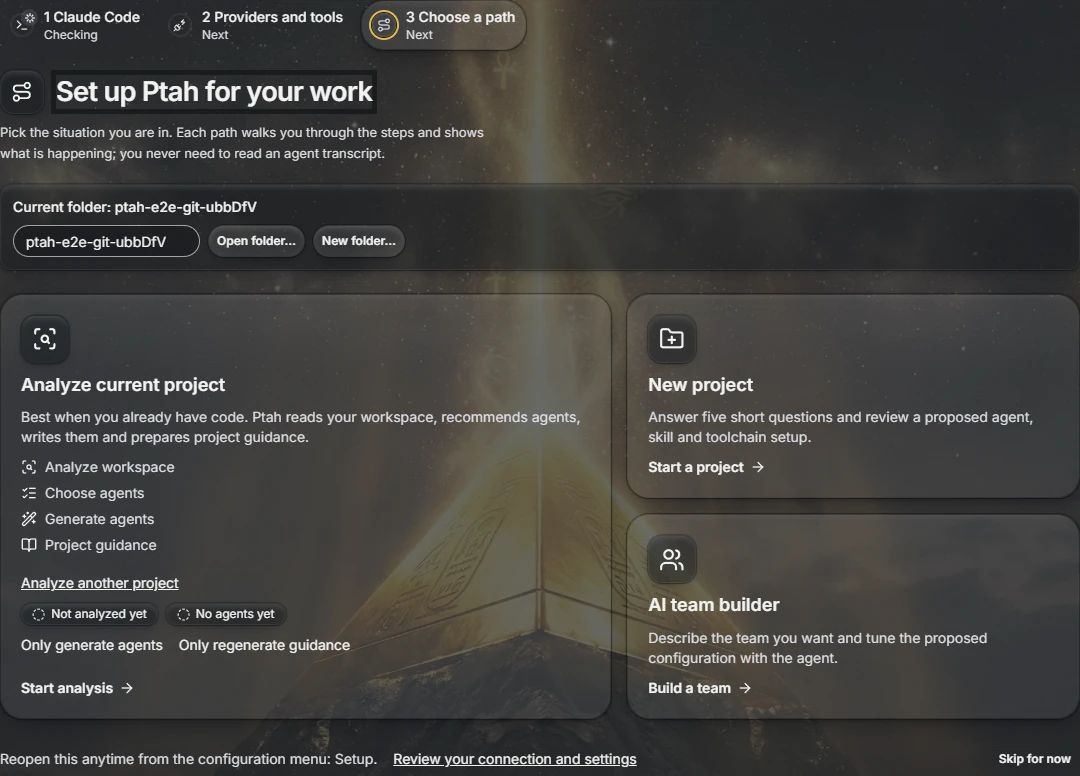
- Setup hub. Workspace analysis, an AI team builder, and new-project scaffolding (an Nx workspace, a roadmap, and an agent team).
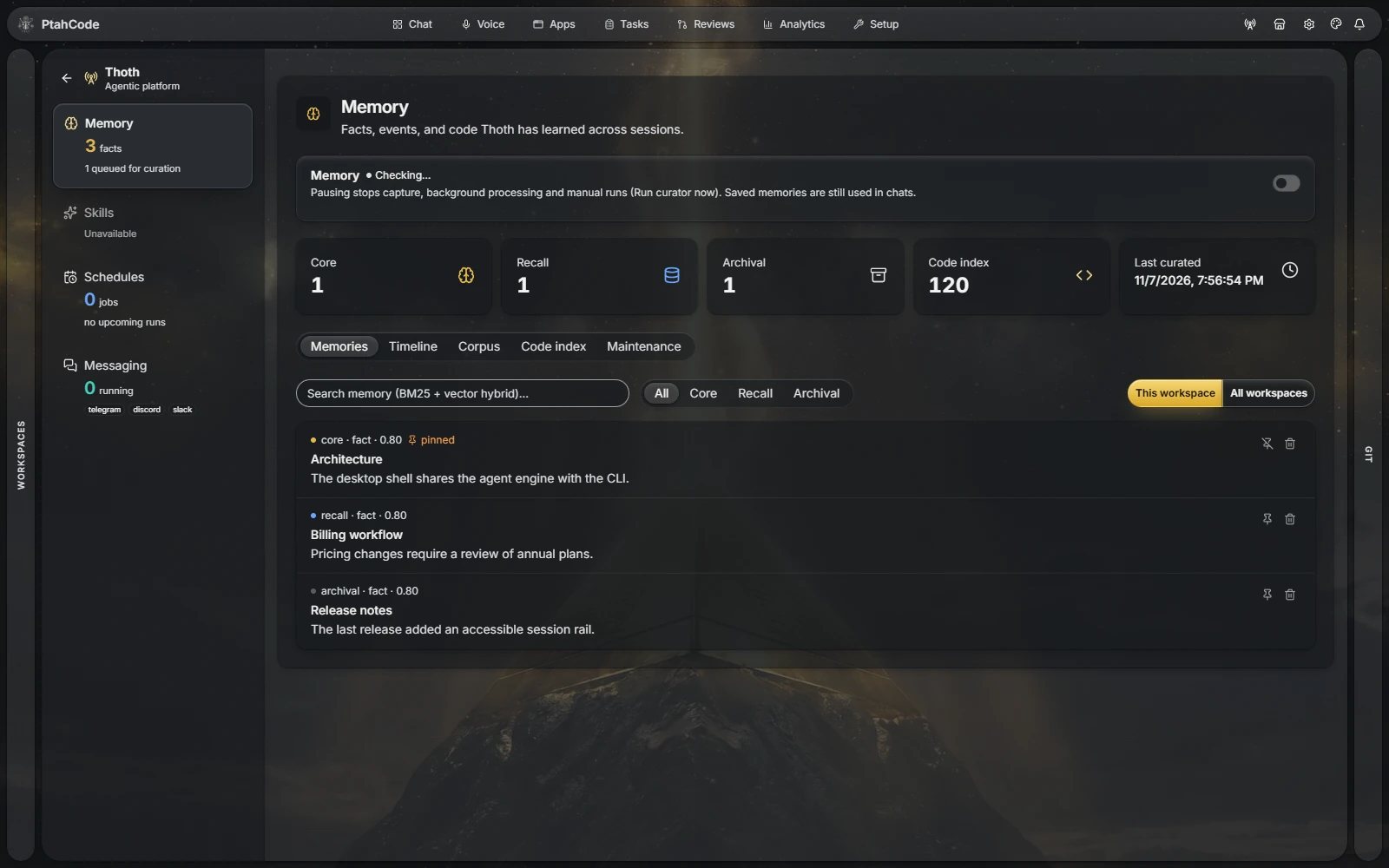
Project memory stays on the machine. Search fuses BM25 and vectors with reciprocal rank fusion, and falls back to BM25 if vector search fails. Semantic recall degrades when sqlite-vec is unavailable. The Memory tab is the curator. The first index can report coverage as unknown.
- Named corpora. Build a corpus from memory, prime an agent session with it, query it, and rebuild membership. This needs a workspace and an agent session.
- Memory timeline. Filter memories in time order, and anchor the timeline on one memory to see its nearest neighbors.
- Compaction curation. Notes that have not been processed are kept when a session compacts.
- Skills. The Skills tab can propose a unified diff for an existing
SKILL.md. A judge scores before and after. The file is written only when you Apply. Enhance stays disabled under a use threshold or during a cooldown. Nothing is promoted on its own.
Tree-sitter indexing covers TypeScript, TSX, JavaScript, Python, Go, C#, Java, Kotlin, Rust, PHP, Ruby, and C++ (C sources use the C++ grammar). The list lives in libs/backend/workspace-intelligence/src/ast/languages. Extensions the registry does not analyze stay unsupported, and the tool reports that count.
Read more: Memory · Workspace analysis · Skill synthesis
Messaging gateways are Telegram, Discord, and Slack. Senders pair before agent work. A binding can attach to a Ptah session and a workspace.
- Hand-off. A rail card can hand the live desktop session to an approved binding. That desktop tab stays read-only until you take it back. With no binding, the control stays visible and disabled, with a reason.
- Discord commands. Discord can list or switch sessions and workspaces, or start fresh. Those commands are Discord’s. They are not the Telegram or Slack command set.
- Gateway voice notes. Inbound audio on a paired chat. That is not the Voice tab.
- Approval from a gateway. The docs describe reviewing tool calls before they run from a connected gateway.
- Schedules. SQLite-backed local runs. After sleep or boot, missed jobs can catch up inside a 24-hour window. Policy is
none,last, orall. A claim keeps a flappy lid from double-firing. A policy ofnonedoes not catch up.
Read more: Automation
- Review runs. The Reviews tab lists pull request review attempts, opens run details, and lets you rerun a review.
- Symbol search. Plain-language queries return ranked, cited hits. The result can include a freshness and coverage receipt. Coverage can be unknown while the first index runs.
- Dependency graph. Dependents and dependencies, limited by how far import resolution got.
- Declaration summaries. Eligible files can be summarized from declarations. An ineligible file returns full content with a reason.
- Output budgets. Large tool output can be shrunk by format. The full text stays retrievable. A spool failure is reported.
execute_code. One JavaScript script can call localptah.*tools inside the Nodevm, with a timeout and cancellation. That VM is not a security boundary.- External MCP callers. Other local tools that call the built-in MCP server are read-only by default. Full access lets them call privileged tools, including
execute_code, but not across workspaces. - Browser. An agent can navigate, click, type, read, capture the network, screenshot, and record, inside URL and root restrictions.
- Tasks. A six-column board over
.ptah/specs/: backlog, in progress, in review, blocked, done, cancelled. A folder withouttask.mdis not a card. A live session can link to a task id and a worktree. Task ids are allocated across local worktrees andorigin/main. - Plugins. An install can be project or global. External installs take explicit consent bound to the resolved version and file hashes. A hashed consent token gates a GitHub plugin install.
- Harness sync. One reconciler writes skills, agents, commands, and MCP servers into Claude and into Codex, Copilot, Cursor, Antigravity, OpenCode, and VS Code MCP. Retirement does not delete a git-tracked copy or a copy whose hash does not match the last manifest. A blocked path is moved to quarantine.
Lane and harness names
Background CLIs: claude, codex, copilot, cursor, antigravity, opencode, grok, pi.
Harness write targets verified in this tree: Claude, codex, copilot, cursor, antigravity, opencode, vscode (MCP).
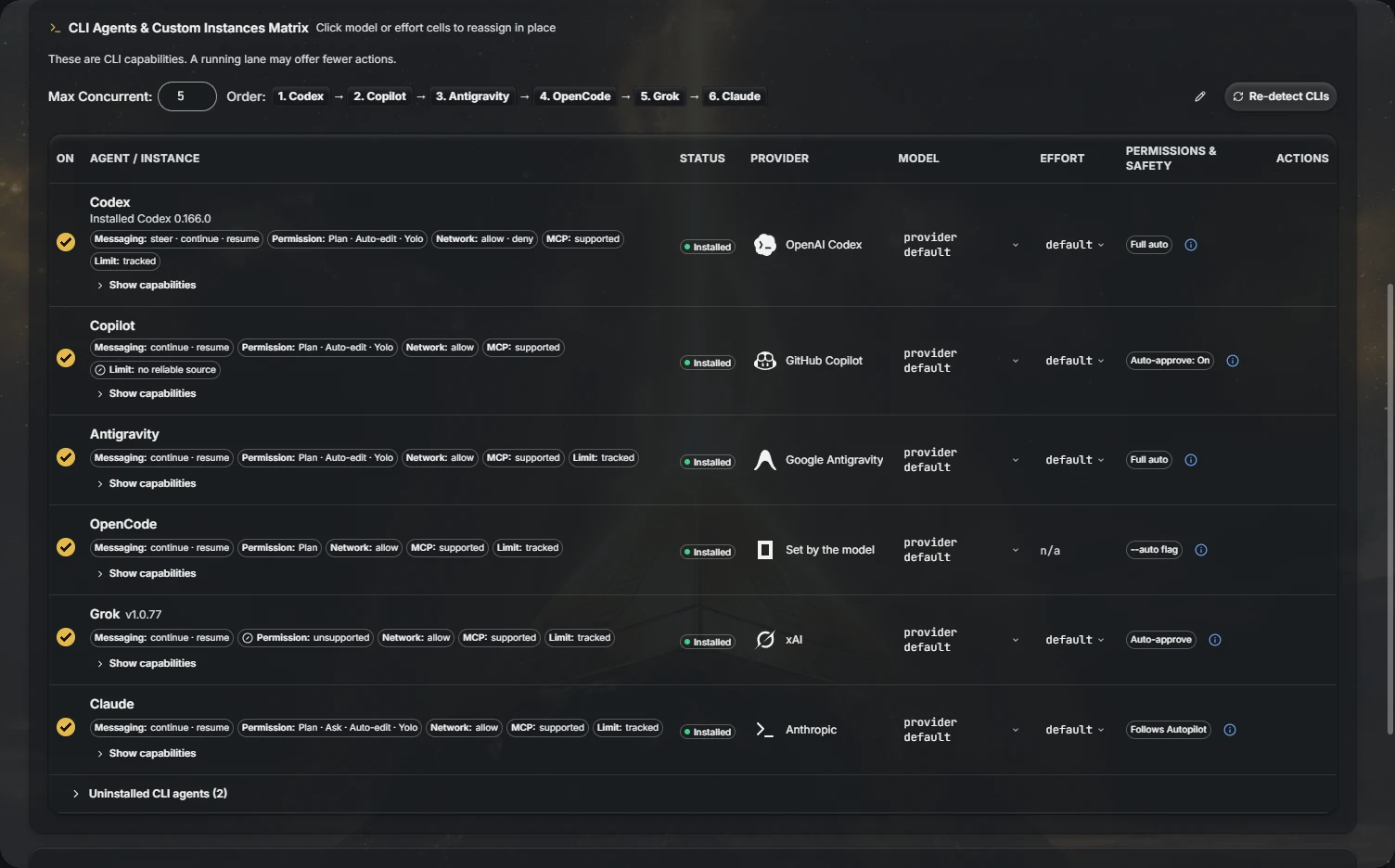
Bring the vendors you already use:
- Frontier model vendors, through their own SDKs and OAuth sign-in.
- OpenRouter.
- Local models through Ollama.
- Coding CLIs already installed on the machine, detected and used as headless workers.
Keys stay on your machine, in the operating system secure store. You can put the model that reviews a diff on a different vendor from the model that wrote it.
Read more: Providers
- Download the installer for your platform from ptah.live/download.
- Install and open the app.
- Open a workspace folder.
- Run workspace analysis from Setup in the title bar.
- Start a session on the session rail. Voice and Apps are title-bar tabs. Memory, skills, schedules, and messaging are the Thoth tabs.
Read more: Getting started
PtahCode is free and open source under the MIT license. There is no trial and no credit card.
PtahCode is an Nx monorepo. Apps are thin composition roots. Logic lives in libraries.
Requires Node 24 (engines.node is 24.x).
apps/: the Electron desktop app (ptah-electron), its Angular renderer (ptah-extension-webview), the landing page, the docs site, and the e2e suites.libs/backend/: host-neutral services; ports inplatform-core, the Electron adapter inplatform-electron.libs/frontend/: Angular feature libraries.libs/shared/,libs/worker-protocol/: types and contracts shared across processes.libs/web/: Angular libraries for the marketing site.
git clone https://github.com/Hive-Academy/PtahCode.git
cd PtahCode
npm install

npm run electron:serve   # run the desktop app
npm run docs             # serve the documentation site
npm run landing          # serve the marketing site

npm run verify -- -p ptah-electron,ptah-extension-webview
npx nx graph             # visualize the dependency graph
Architecture rules, coding standards, and per-project guides are in the instruction files at the repository root and in each app and library folder.
Read CONTRIBUTING.md before you open a pull request. Report a security issue through SECURITY.md.
MIT © Ptah Orchestra