
A node editor framework for Qt. Build interactive graph interfaces out of draggable nodes, connectable sockets and edges, with undo/redo, JSON serialization and support for your own evaluation logic.
The distribution is called nodeeditor-qtpy; the import package is nodeeditor.
The framework itself is binding-agnostic: it talks to Qt through
QtPy, so it runs on PyQt5, PySide2,
PyQt6 and PySide6.
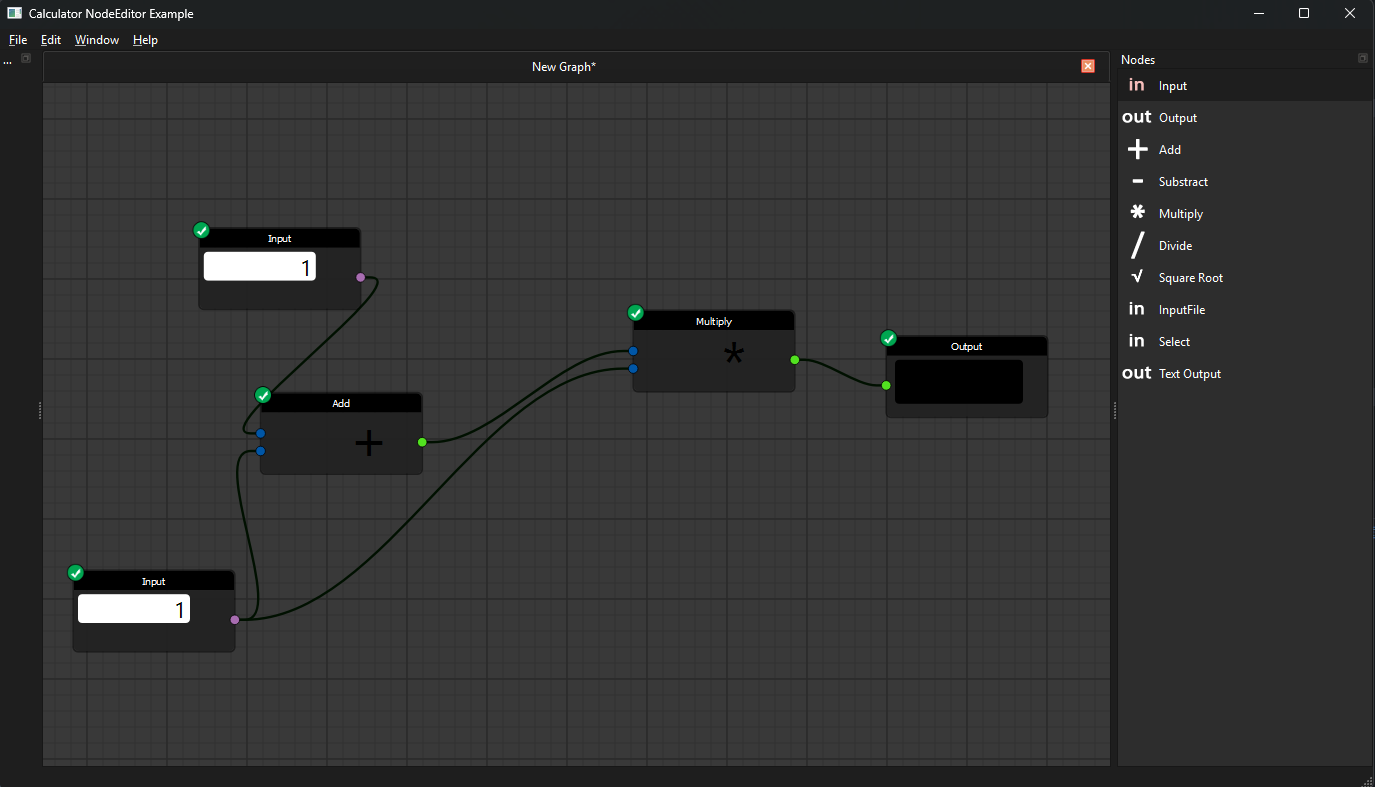
- full framework for customizable nodes, sockets and edges
- undo / redo and serialization into JSON files in a VCS friendly way
- support for implementing evaluation logic
- hovering effects, dragging edges, cutting lines, snapping and more
- node groups, multi-input nodes, custom socket shapes and color schemes
- canvas comments (sticky notes) with inline editing and serialization
- ready-made examples you can copy from
- Python 3.10+
- A Qt binding: PyQt6 or PySide6 (any Qt 5/6 binding QtPy supports works)
From PyPI, including a Qt binding:
pip install nodeeditor-qtpy[pyqt6]
or, for PySide6:
pip install nodeeditor-qtpy[pyside6]
Without an extra, the package installs no binding and uses whichever
PyQt5/PySide2/PyQt6/PySide6 you already have. When several are installed,
QtPy picks one from the QT_API environment variable.
Directly from source code to get the latest version:
pip install "nodeeditor-qtpy[pyqt6] @ git+https://github.com/AzadKshitij/qtpy-nodeeditor.git"
Or clone the repository:
git clone https://github.com/AzadKshitij/qtpy-nodeeditor.git
A node is a Node belonging to a Scene. Give it sockets, then connect an
output socket to an input socket with an Edge:
import sys

from qtpy.QtWidgets import QApplication

from nodeeditor.node_editor_widget import NodeEditorWidget
from nodeeditor.node_node import Node
from nodeeditor.node_edge import Edge

app = QApplication(sys.argv)

editor = NodeEditorWidget()
scene = editor.scene

# a node with one output socket
source = Node(scene, title="Value", outputs=[1], output_text=["out"])

# a node with one input socket
sink = Node(scene, title="Print", inputs=[1], input_text=["in"])

# connect the output of the first node to the input of the second
Edge(scene, source.outputs[0], sink.inputs[0])

editor.show()
sys.exit(app.exec())
NodeEditorWidget creates the Scene for you. Use Scene on its own when
you want to drive the graph without a widget:
from nodeeditor.node_scene import Scene
from nodeeditor.node_node import Node

scene = Scene()
node = Node(scene, title="Value", outputs=[1], output_text=["out"])
The inputs and outputs lists hold socket types, and the matching
input_text / output_text lists hold the labels drawn next to them. Both
Node and Edge register themselves with the scene when created, so there is
nothing to add by hand.
from nodeeditor import NodeEditorColorScheme, get_socket_shape
from nodeeditor.node_scene import Scene
from nodeeditor.node_node import Node
from nodeeditor.node_edge import Edge
from nodeeditor.node_comment import CommentThis project is a fork of the original PyQt Node Editor by Pavel Křupala, which is released under the MIT licence. The original author is credited in LICENCE, and the history of the upstream project is kept in CHANGES.md and HISTORY.rst.