
An open-source remote for the GoPro HERO11 Black: a command-line tool and an app for desktop and Android.
English · Português (Brasil) · Español · Français · Deutsch · Русский · 简体中文 · 日本語
Quak talks to the camera over Bluetooth and the camera's own Wi-Fi, using GoPro's public Open GoPro API. No account and no cloud.
Status: early, and tested on one camera. It's built around one HERO11 Black (firmware 2.20). Other models get a warning and may not work. See what has been tested before you rely on it.
Quak includes a simulated camera that speaks the real protocol, so you can try everything first. You need Python 3.11 or newer.
pipx install 'quak-camera[gui]'               # or pip, in a virtual environment

quak --sim info                               # the command line
quak --sim schedule arm +2m --duration 15s
quak-gui --sim                                # the app (the first launch downloads about 45 MB)
Or download a ready-made app for Linux, Windows or Android from Releases. The install guide has the details for each system.

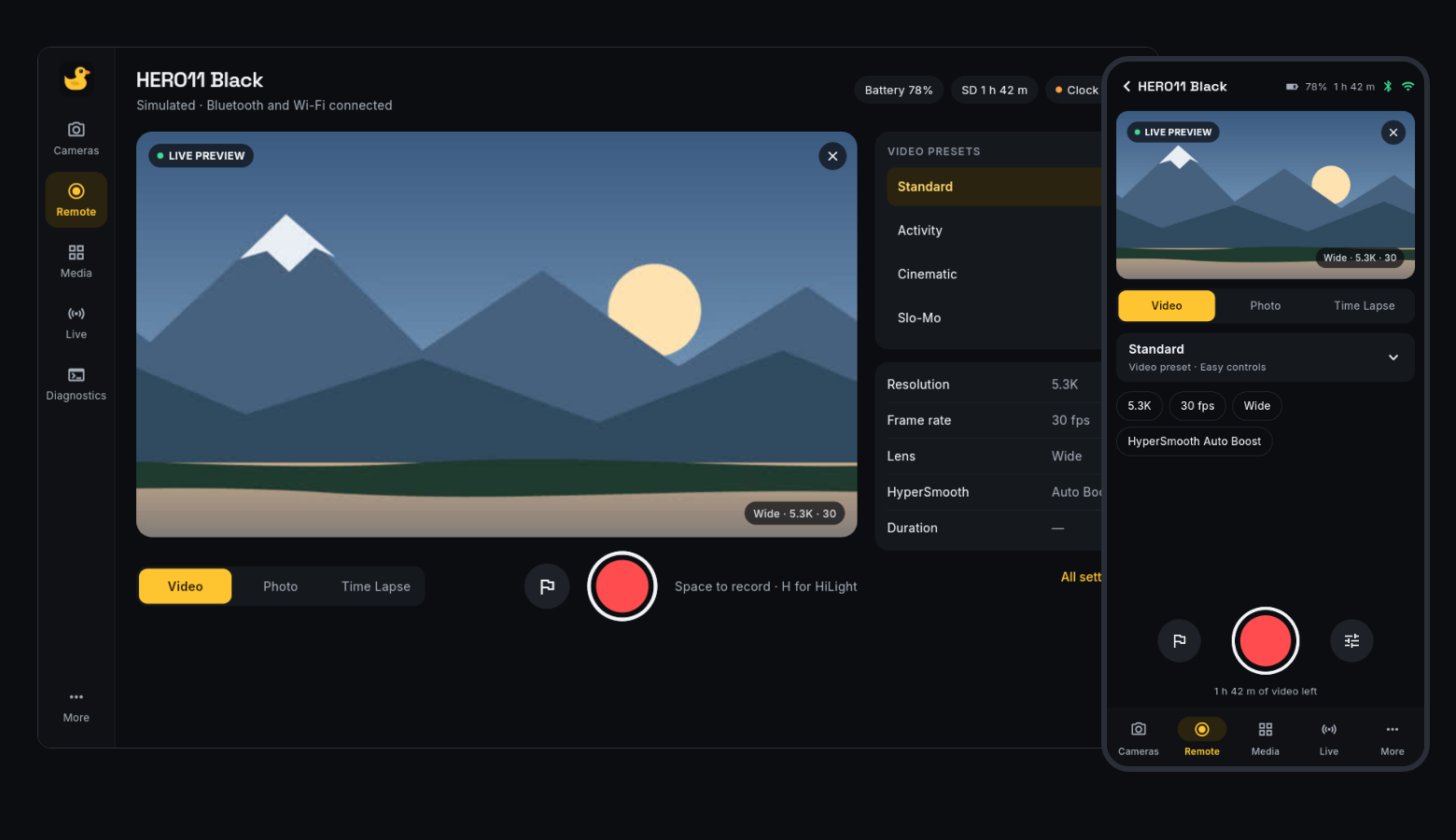
- Remote control: record, take photos, tag HiLights, change presets and every HERO11 setting.
- Scheduled capture: arm the camera for a time and a length, with its clock synced first. It starts and stops by itself, even if you switch it off after arming.
- Live preview over the camera's Wi-Fi. The camera can't stream while it records, so preview pauses until you stop.
- Media: browse the card, download clips, and delete them, with a confirmation that names the file.
- In your language: the app follows your system's language, or you can choose in More: English, Português (Brasil), Español, Français, Deutsch, Русский, 简体中文 or 日本語. The command line stays in English.
- Livestream to an RTMP server such as YouTube or Twitch. This is experimental: see known issues.
- Camera Lab (advanced, Linux, experimental): on a HERO11 that already has its own SSH login, log in over SSH, switch the USB-C port to USB host mode, and inspect devices and storage. Quak installs nothing on the camera. See the Camera Lab guide.
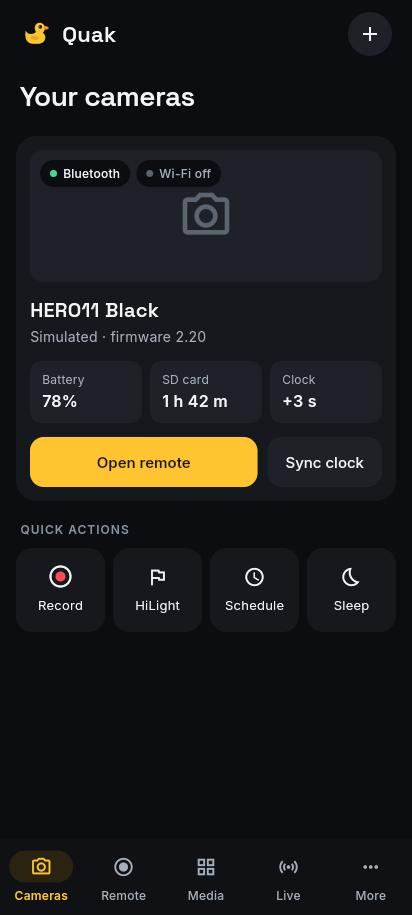
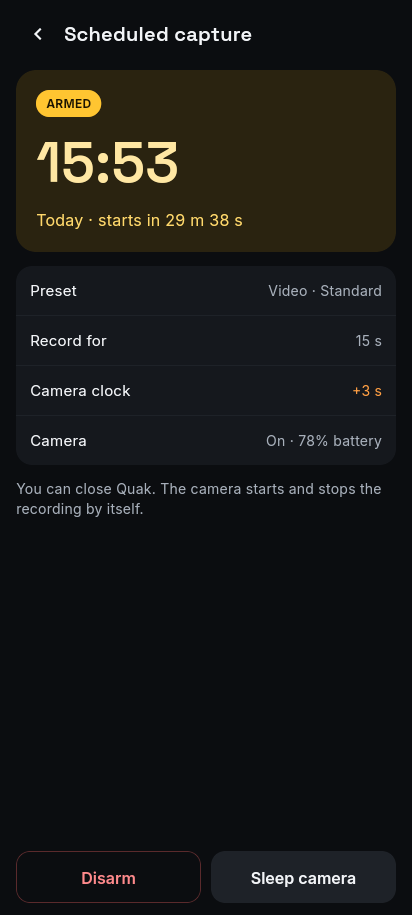
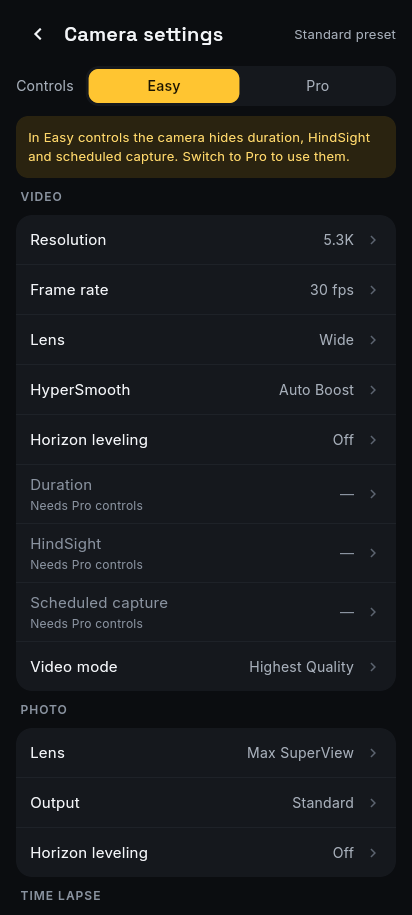
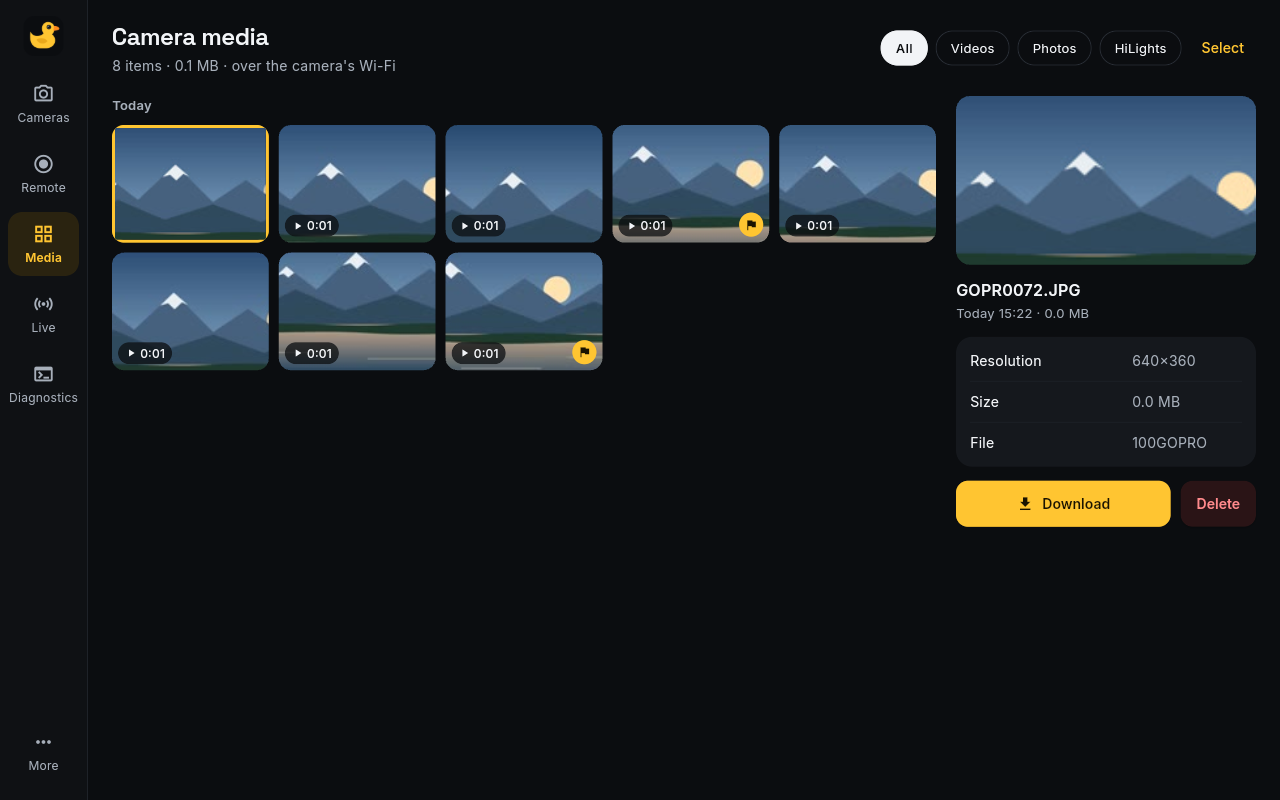
Screenshots come from the simulated camera, with a drawn scene instead of real footage.
Install it as above, plus what the install guide lists for your system. Then pair once. On the camera, open Preferences > Connections > Connect Device > GoPro Quik App, and leave that screen open while you run:
quak pair          # finds the camera on its pairing screen and remembers it
quak info
quak record --seconds 5
quak schedule arm +2m --duration 15s
quak media list
quak --help lists every command. In the app, use Add camera, which walks you through the same steps.
Android: download the APK from Releases. It needs Android 10 or newer.
Before you use it for real, read what Quak changes on your computer and camera. In short:
- On a computer, viewing media or the preview moves a Wi-Fi adapter onto the camera's network for a while. Quak avoids the adapter you're online through, and asks first if it's the only one.
- A scheduled capture changes the camera's Duration setting and leaves it changed, which also limits recordings you start by hand. Quak tells you when this happens.
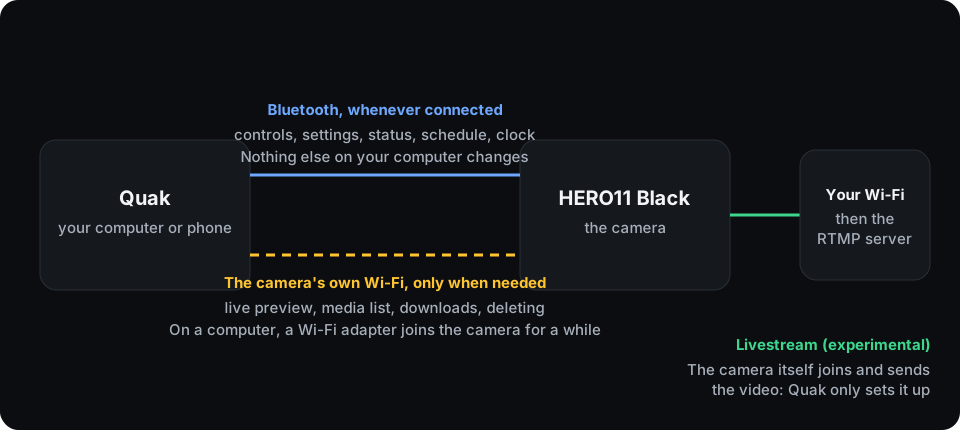
Tested on one real HERO11 Black, with the end-to-end suites on Linux and by hand on one Android phone:
| Feature | Linux | Android | Windows |
|---|---|---|---|
| Pairing and reconnecting | Tested | Tested | Not tested |
| Status, clock sync | Tested | Tested | Not tested |
| Recording | Tested | Tested | Not tested |
| HiLights, presets, settings | Tested | Not tested | Not tested |
| Scheduled capture | Tested | Not tested | Not tested |
| Live preview | Tested | Tested | Not tested |
| Media: list, download, delete | Tested | Tested | Not tested |
| Livestream | Experimental | Not tested | Not tested |
Windows is experimental. The Windows build compiles and its unit tests pass, but it has never been launched or used with a
camera. Livestream worked end to end, then stopped working on the test camera for a reason that isn't known yet.
docs/testing.md has the details.
- Install guide: Linux, Windows and Android, and building the packages
- Safety: what Quak changes and stores, what it can delete, and how to recover
- Troubleshooting: common problems and known issues
- Camera Lab: advanced, Linux-only SSH access, USB host mode, the bundled toolkit, storage and system panels
- Architecture: how the code is organised
- Testing: the test suites and hardware results
- Protocol notes: what we learned about the camera, beyond the official docs
- Contributing
Quak was built with heavy AI assistance. Claude wrote most of the code, tests, documentation and the logo, and ran the test suites on a real camera, directed by a person who also tried it on the camera and phone. The hardware claims above come from those tests, and from nothing else.
MIT: see LICENSE. The packaged apps include other software under its own licences, including LGPL libraries: see THIRD_PARTY_NOTICES.md.
Quak is an independent project, not affiliated with, endorsed by or sponsored by GoPro, Inc. GoPro, HERO and Quik are trademarks of GoPro, Inc. See NOTICE.